Octavi IFR-1 review: A premium radio panel with real-world compromises (2026)
The Octavi IFR-1 delivers excellent build quality and satisfying tactile feedback, but ergonomic compromises and visibility issues in low light hold it back from being a complete training tool.
Sim to solo Flying for real as well? Compare training pathways →
The Octavi IFR-1 delivers excellent build quality and satisfying tactile feedback, but ergonomic compromises and visibility issues in low light hold it back from being a complete training tool.
| Mechanics | 5 / 5 |
| Tactility | 3 / 5 |
| Integration | 3.5 / 5 |
| Procedural | 4 / 5 |
| ROI | 4 / 5 |
Updated 20 October 2026. The software side has not moved: Octavi's plug-in is still the vendor's client, and the flight-plan functions still run through MobiFlight. I wrote a separate free client for the rest. Magenta Bridge drives the radios, the autopilot and the transponder in MSFS 2024 with no runtime and no WASM module behind it, and its page is clear about what it cannot reach. The score is unchanged.
Updated 3 October 2026. Since this review published, I have driven the IFR-1's flight-plan functions again on MSFS 2024, through Octavi's own plug-in and then through Mobiflight running Octavi's preconfigured G1000 profile. The radios, transponder and autopilot work on both. The FMS1 and FMS2 contexts, the flight-plan buttons and the vertical-speed knob do not, on either route. The cause is a documented MSFS 2024 bug that breaks G1000 external control across several aircraft, not a fault in the device. The Integration section below has been rewritten with the finding. The score is unchanged. Updated 13 October 2026: the Integration and Procedural sections now record what Octavi's own guide promises on the software side, and which of those promises ever arrived. No score change.
What the Octavi IFR-1 is
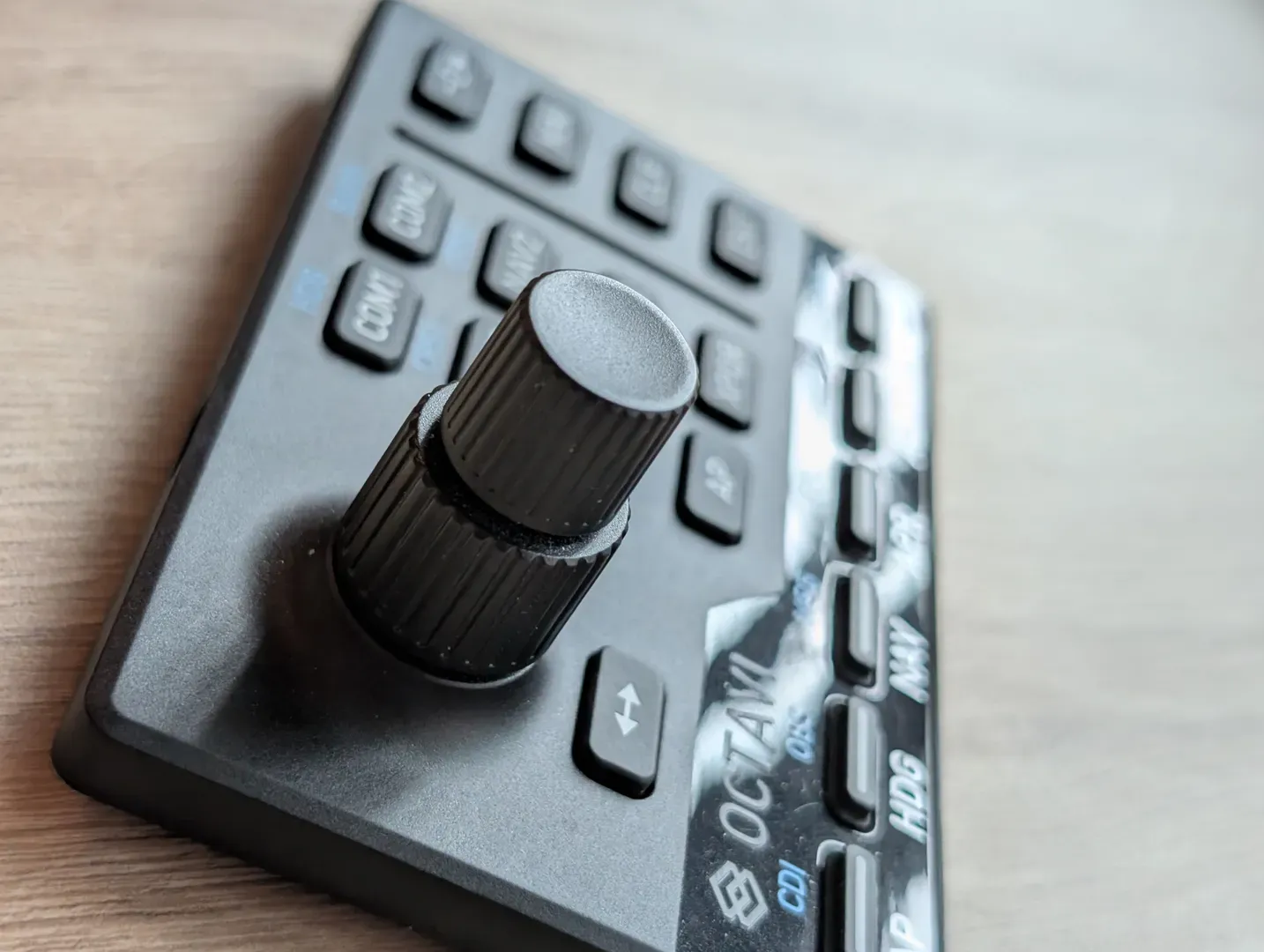
The Octavi IFR-1 is a compact hardware panel designed to replicate COM/NAV radio stacks and autopilot controls found in General Aviation cockpits. It features a dual rotary encoder system, eight context buttons for selecting COM1/2, NAV1/2, FMS1/2, transponder, and autopilot modes, plus eleven function buttons. LED backlighting on the context and autopilot mode buttons provides real-time feedback on device state and autopilot status. The device connects via USB-C and works with Microsoft Flight Simulator 2020 and 2024 and X-Plane 11 and 12. MSFS is Windows only, and X-Plane runs on Windows and macOS. Both work through native software or third-party tools like Mobiflight.
At €151.25 (around US$165) excluding shipping, it sits in the upper-middle tier of sim avionics hardware — more expensive than software-only solutions, but cheaper than full-scale replica bezels like the RealSimGear GNS530.
The Magenta Standard evaluation
Every piece of hardware reviewed is evaluated against five professional criteria to ensure it serves as a true procedural training device.
| Criteria | Evaluation Logic |
|---|---|
| 01 Mechanics | Does the hardware mimic the physical forces and control travel found in real General Aviation aircraft? |
| 02 Tactility | Does it support eyes-outside operation through distinct physical feedback and ergonomic positioning? |
| 03 Integration | How seamlessly does the device interface with Electronic Flight Bags (EFB) and professional training software? |
| 04 Procedural | Does the hardware support the muscle memory needed for actual syllabus requirements and cockpit checklists? |
| 05 ROI | Does the measurable gain in proficiency justify the hardware cost compared to wet-hire aircraft rental hours? |
WANT TO DIVE DEEPER? VIEW THE MAGENTA STANDARD →
1. Mechanics — 5.0/5
The rotary dial is the standout feature. Each click is crisp, defined, and weighted just enough to prevent accidental inputs. Twisting through frequencies feels deliberate, which mirrors the resistance of real avionics knobs in training aircraft like a Cessna 172 or Piper Warrior.
The rubber buttons are soft, responsive, and clearly printed. They compress with a light touch but don't feel mushy — a good balance for rapid frequency swaps during circuit work or when copying clearances under time pressure.
The matte plastic casing feels solid in hand. It doesn't creak or flex, and the overall impression is that this device will survive regular desk setup and teardown without degrading.
2. Tactility — 3.0/5
The device performs well in daylight or bright cockpit lighting. Button labels are clear, and the layout is intuitive enough that after a few sessions, most operations can be done by feel (especially useful for VR pilots).
The problem emerges at night. Secondary function labels are printed in dark blue, and they become difficult to read in dim conditions. If you're simulating night circuits or IFR approaches in a darkened room, you'll find yourself squinting or reaching for a desk lamp — exactly the opposite of what "eyes-outside" training should encourage.
The LED backlighting provides useful feedback on autopilot status (showing which modes are engaged), but it doesn't solve the label legibility issue. White primary labels remain visible; dark blue secondary labels do not.
3. Integration — 3.5/5
The Octavi IFR-1's radios, transponder and autopilot work out of the box with MSFS 2024. The flight-plan layer is a different story. The right-hand Garmin buttons, the inner GPS knob, the FMS1 and FMS2 contexts and the vertical-speed knob are the parts that lean on the sim's own G1000 interface, and on my unit none of them respond. I drove the device through Octavi's plug-in and then through Mobiflight running Octavi's own G1000 profile, which are two completely separate pieces of software, and the result was identical in both.
That is the part worth knowing before you buy. The fault is not Octavi's. Asobo's own bug tracker carries a run of reports from November 2024 through September 2026 of the G1000's PFD and MFD bindings vanishing for external controllers, across the C172, the DA62, the C400, the G36 and the G58. It has hit owners of other makers' hardware driven by other software, including a Class Echo on SPAD.neXt and a RealSimGear panel, and the author of Axis and Ohs calls the underlying event breakage a sim bug. Two unrelated drivers failing on the same event is what points at the sim rather than the box on your desk. Check the current state before you buy, because Asobo has fixed and re-broken this across four sim updates.
Octavi's guide blames a dead FMS on the MobiFlight module, and MSFS 2024 does sometimes disable community modules on its own, so that is the first thing to check. On my unit it was not the cause. So the configuration-free claim holds for the radios and the autopilot, and not reliably beyond them, and on a G1000 aircraft you cannot close the flight-plan gap from your side. The route that carries the device's full capability is Mobiflight with Octavi's preconfigured G1000 profile, and it asks for more than the plug-in does. Those profiles identify the device by a GUID that Windows assigns per machine, so you have to run Octavi's Octavi_GUID_fix.reg before a downloaded profile will see your unit.
It's worth noting that Octavi have published nothing since early 2025, so if a fix does need to come from them, do not count on it arriving. Their guide makes a promise of the same kind. It calls the lights staying on after you close the sim normal, and says a firmware update to change it is coming. That guide is dated February 2025 and nothing has shipped since.
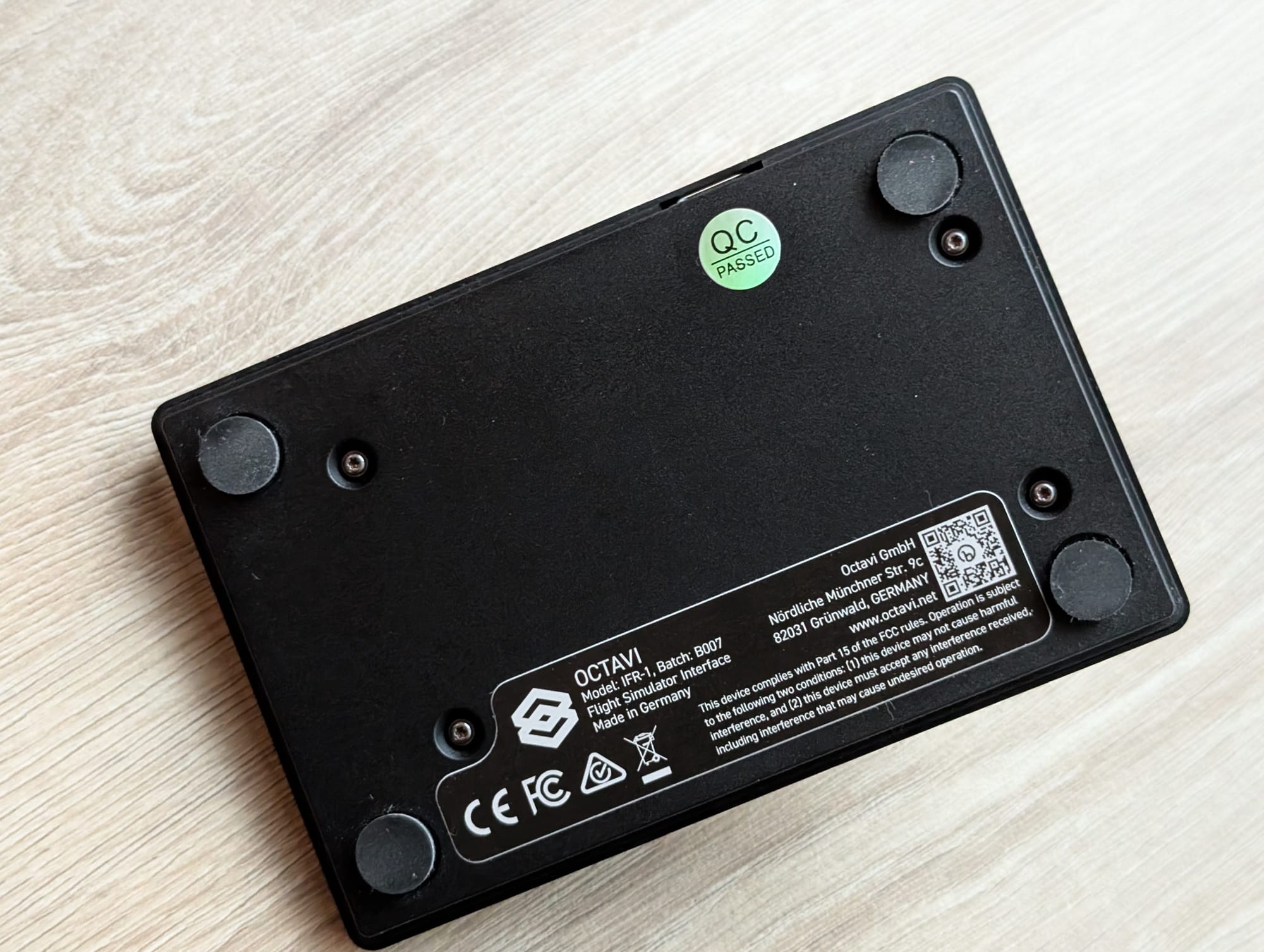
The ergonomic issue is the USB port location. Positioned on the top edge of the unit, the cable protrudes upward, which limits placement options on a desk. You can't tuck the device flush against a monitor base or nestle it between other hardware without the cable getting in the way. A rear or side port would have been far more practical. (Octavi says they're making a new, angled cable.)
The device also sits completely flat. A slight tilt angle — even 5 to 10 degrees — would improve reach and visibility, especially during long sessions. As it is, you're either hunching slightly forward or positioning it at an awkward spot on your desk.
There’s a mounting option by CockpitCrafters with their German-crafted aluminum bracket that sits nicely above a Honeycomb Alpha or Bravo. But gosh, that’s US$50. (Here's a cheaper option that I went with – a well-designed 3D-printed mount. And it's free.)
The rubber feet don't grip well. During aggressive button presses or rapid dial twisting, the unit can slide, forcing you to stabilize it with your other hand. For a device marketed toward procedural training, this is a frustrating distraction. That said, this is an easy problem to solve. The feet pick up dust, so it's a matter of wiping them down with a wet cloth. Or just switch them out for another, like I did.
4. Procedural — 4.0/5
Radio discipline and autopilot management are two of the most overlooked skills in early training. Students often fumble frequencies during busy circuit work or freeze when asked to change COM and NAV settings quickly. The Octavi IFR-1 addresses this by forcing you to twist, swap, and confirm — building the same muscle memory you'll need in a real cockpit.
The autopilot controls add significant training value for IFR work. Being able to dial heading, altitude, and vertical speed using physical knobs rather than clicking on-screen buttons reinforces the flow you'll use in aircraft equipped with Garmin or similar integrated systems. The LED feedback showing which autopilot modes are engaged mirrors real panel annunciators, which helps build mode awareness.
Beyond radio and autopilot, the device also handles transponder codes — useful for students learning to operate in busy controlled airspace where squawk code changes are routine.
The problem is shift mode. Octavi's plug-in gives no visual indication when you've entered shift mode, so you can inadvertently change settings without realizing which layer you're on. The funny thing is that the hardware can show it: Mobiflight's own Octavi support exposes an LED output called "Auto Blink Context" for the shifted state, and a community X-Plane script blinks the lights when shift is on. (I was told a future software update would add a blinking indicator. As of October 2026 it has still not arrived.)
For pre-solo students working through radio navigation exercises or IFR candidates practicing approach plate execution, this ambiguity is a meaningful gap. You want hardware that removes uncertainty, not adds it.
5. ROI — 4.0/5
The Octavi IFR-1 costs €151.25 excluding shipping. Shipping brought mine to US$220 landed, and that is the number to plan around.
To be fair, the device does more than just radio management — autopilot control and transponder handling add meaningful functionality. For IFR students who already own core flight controls and want a compact, space-saving panel for avionics work, the value proposition improves. But if you're building a complete training rig from scratch on a budget, you're still better off prioritizing pedals and a throttle quadrant first. Those foundational controls deliver more training value per dollar.
The verdict: Good bones, but needs refinement
The Octavi IFR-1 is a well-built device with excellent tactile feedback. The rotary encoder is genuinely satisfying to use, and the rubber buttons feel durable and responsive. If you already have a solid yoke, throttle, and pedals, and you're specifically targeting radio discipline for cross-country or IFR training, this will add procedural value to your sessions.
But the flat orientation, poor grip, awkward USB placement, and low-light legibility issues prevent it from being a complete training tool. The shift mode ambiguity is particularly frustrating for procedural work, where clarity and confidence are the entire point. And the route that carries the device's full capability runs through Mobiflight, not Octavi's own plug-in. For a panel sold as configuration-free, that is a longer setup than the box implies.
Who should buy it: IFR students or pilots building a dedicated sim cockpit who already own core controls and want to develop radio discipline for busy airspace operations.
Who should skip it: Pre-solo students on a budget, or anyone who expects to use it primarily in low-light conditions. Put that US$220 toward pedals or a throttle quadrant first — those will deliver more training value per dollar.
About this review
I purchased the Octavi IFR-1 with my own money (US$220 after shipping to Singapore — don’t tell my wife) and tested it over seven months of procedural training sessions in MSFS2024. No sponsorship, no affiliate links — just an honest evaluation against the Magenta Standard.
If you're building a home training rig and want to know which gear actually transfers to the cockpit, start here with this Magenta guide.
Frequently asked questions
What does the Octavi IFR-1 control?
It replicates a GA aircraft's COM/NAV radio stack and autopilot controls in a compact panel, with dual rotary encoders and buttons, so frequencies and modes are set by hand rather than with a mouse.
How much does the Octavi IFR-1 cost landed?
€151.25 excluding shipping, about US$220 landed in Singapore. The optional aluminium mounting bracket is another US$50.
Is the Octavi IFR-1 a good first purchase for a student pilot?
No. Pre-solo students on a budget should put the money into pedals or a throttle quadrant first. It is a refinement device for someone already flying procedures, and it is weakest in low light.
Why do the flight-plan buttons not work in MSFS 2024?
The FMS1 and FMS2 contexts, the flight-plan buttons and the vertical-speed knob do not work, on either Octavi's own plug-in or Mobiflight. The cause is a documented MSFS 2024 bug that breaks G1000 external control across several aircraft, not a fault in the device.
Does the IFR-1 work with X-Plane?
Yes, X-Plane 11 and 12, on Windows and macOS. Microsoft Flight Simulator is Windows only.