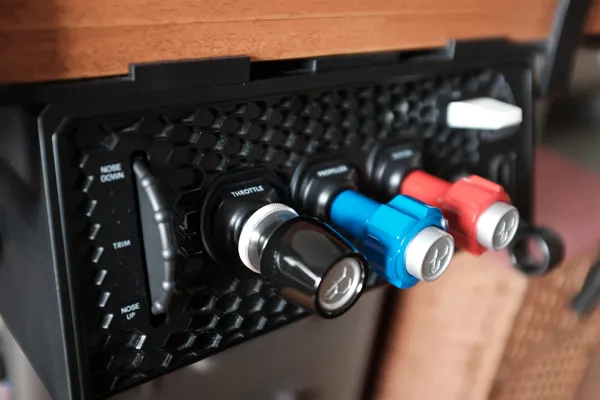
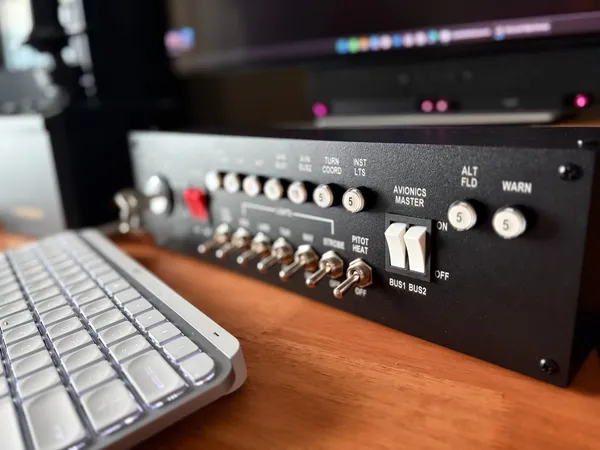
Thrustmaster TCA Sky Yoke review: a full circuit for US$200
Thrustmaster's cheapest yoke is the easiest one to start with, and the least explained.
Sim to solo Flying for real as well? Compare training pathways →
A complete GA control set for US$200 that clamps on in two minutes, let down by a stiff pitch axis with little documentation and an odd software path.
| Mechanics | 3.5 / 5 |
| Tactility | 3.0 / 5 |
| Integration | 3.0 / 5 |
| Procedural | 3.0 / 5 |
| ROI | 4.5 / 5 |
Two hundred US dollars buys every control a circuit needs. The yoke, the throttle, the trim wheel and the rudder triggers all arrive in one box, and the whole thing clamps to a desk in two minutes and comes off again just as fast in case you needed to jump on a work call.
That is the case for a student with a small desk and nothing else in the sim cupboard. The Turtle Beach VelocityOne does the same all-in-one job for US$400. The Honeycomb Alpha gives you a yoke and a switch panel but leaves you to buy a throttle and pedals. Thrustmaster has matched the first at half the price and the second at half the weight.
It is also the first general aviation yoke from a company that has mostly sold airliner and military combat hardware. The one thing it doesn't come with is a published manual.
About this review
Thrustmaster sent this unit for review. It arrived in October 2026 and I have kept it, so I can compare it against other yokes as they come through. The company suggested no angle for this piece, attached no conditions to it, and will read it for the first time when it publishes.
I tested the Xbox version, which also works on PC. Everything below was flown in Microsoft Flight Simulator 2024 on a Windows PC. I did not test it on a console (I have no way of mounting this in my living room), so I make no claims about how it behaves on one.
What this is
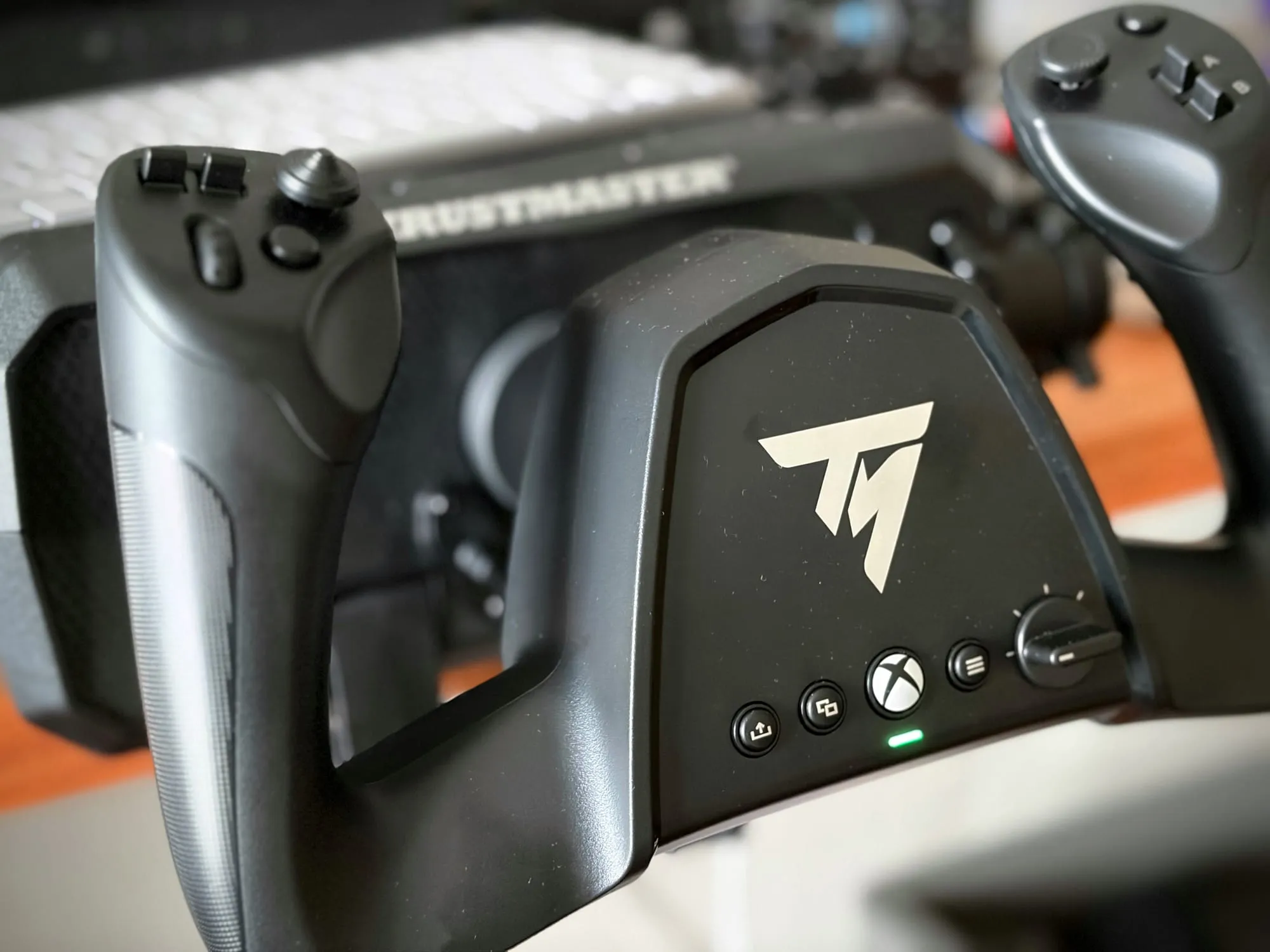
- A general aviation yoke, Thrustmaster's first, with a push-pull pitch axis on a steel shaft
- Nine centimetres of pitch travel and 180 degrees of roll
- Seven axes on the box, eight in the USB report, all 16-bit H.E.A.R.T. hall effect
- 24 buttons, an 8-way hat, a mini-stick and two analog triggers
- A built-in throttle lever, a notched trim wheel and a rotary dial
- Two RJ12 ports and a USB-A port on the back for Thrustmaster add-ons
- USB-C to the PC, one HID device, 250 Hz report rate
- 2,495 g, 180 × 344 × 440 mm
- US$200
What you should expect in practice: one clamp, a plastic body that feels better than it looks, and a firm pitch axis. One lit element on the whole unit. And a first flight that will not happen until you install a driver and then download a control profile from inside MSFS's Marketplace.
Setup and first-use reality
Unboxing takes a minute. Thrustmaster prints two setup paths on the box flaps, one for Xbox and one for a PC. Those flaps are the instruction, and there is no manual inside to keep. Keep the box or lose the instructions.
On a PC the yoke doesn't work out of the box. You go to the support site for a driver package, which carried a firmware updater (oddly, it asked for access to my camera!). What's truly valuable is the free mapping profile from the MSFS Marketplace, which Thrustmaster documents in a support article rather than in the box. Once installed, everything works and you saved yourself an hour mapping keybinds. I can't help but wonder why this wasn't added to the installer to begin with.
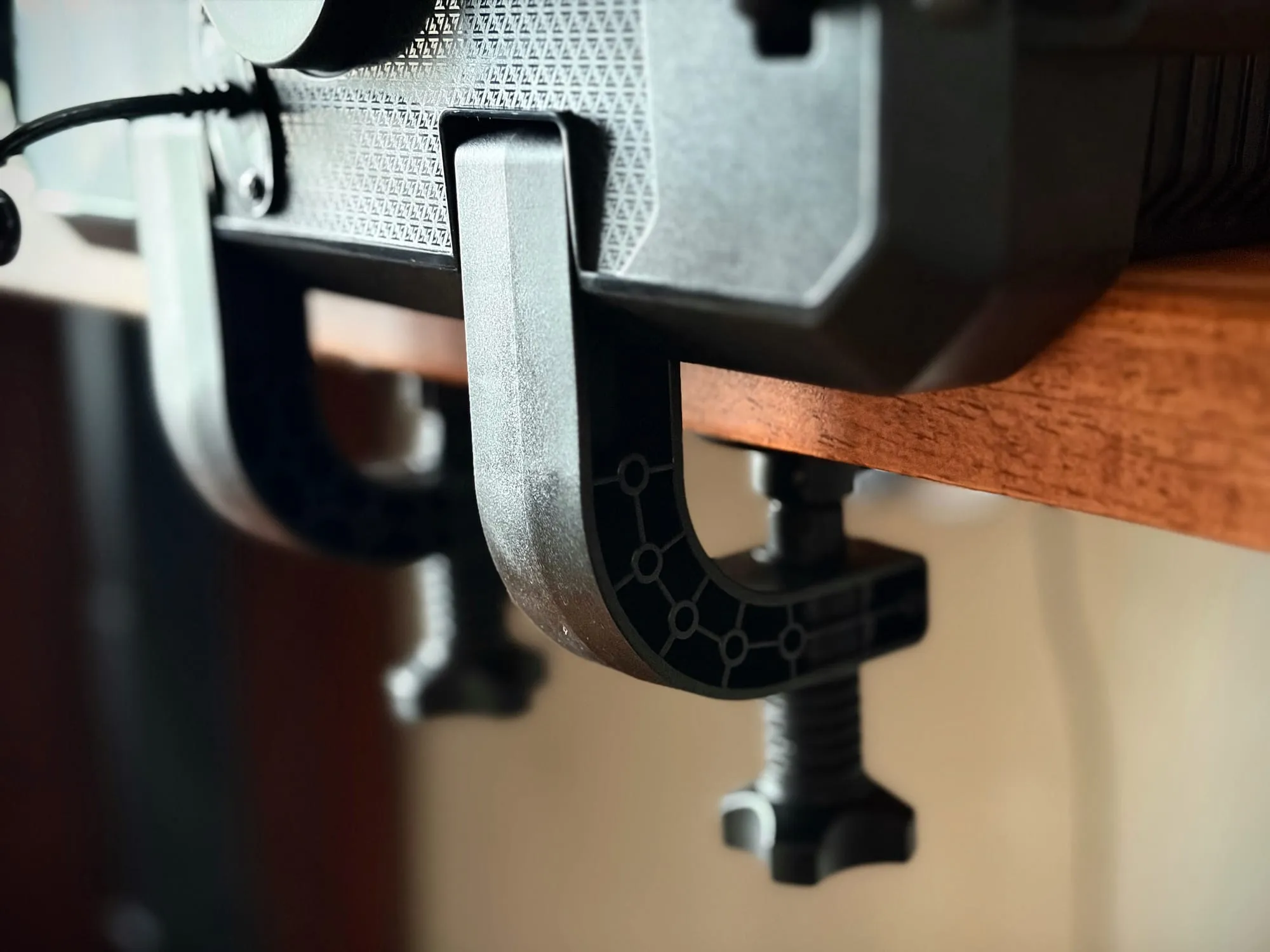
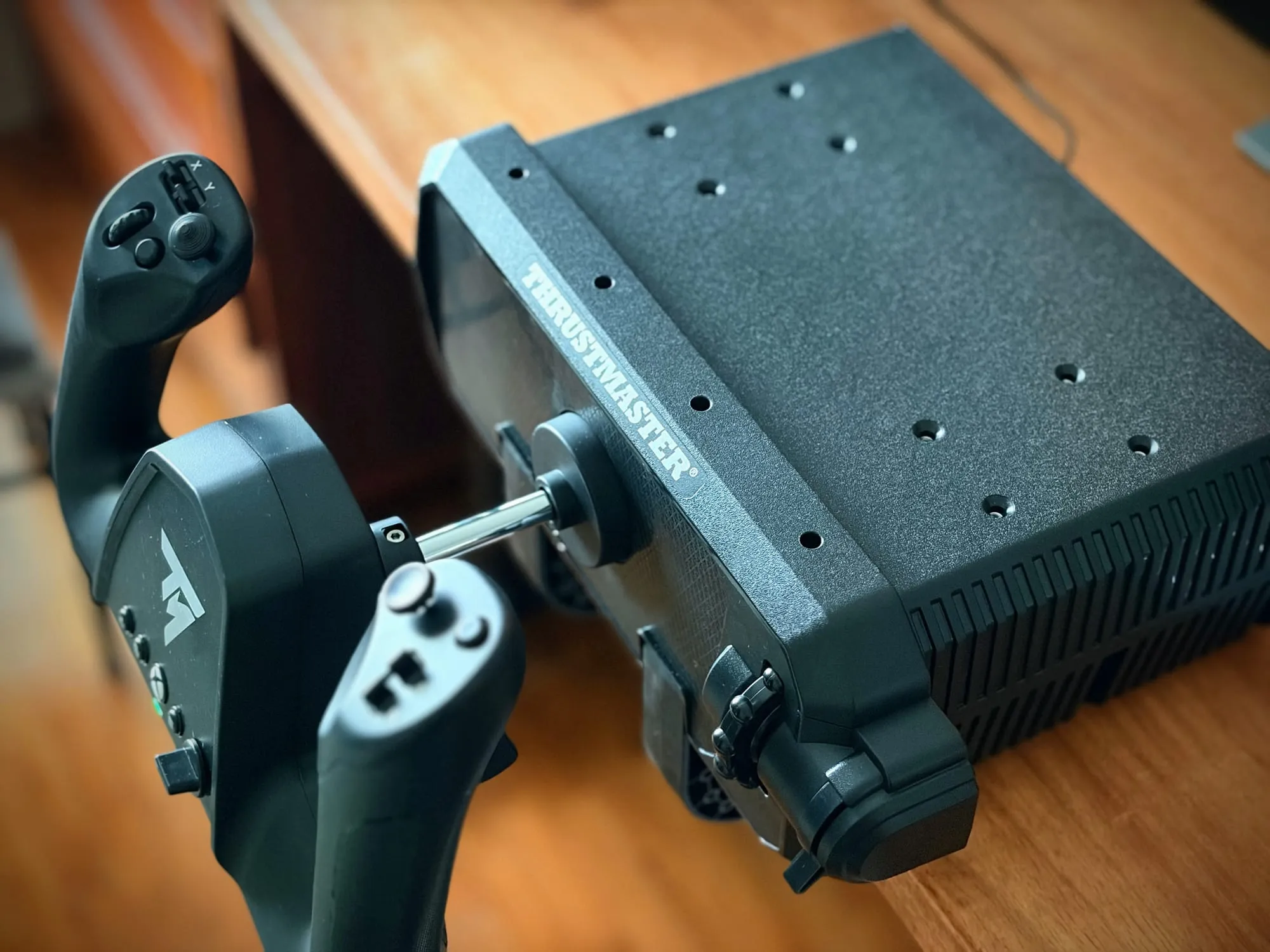
Call me boring but the thick plastic clamp is the best thing about this yoke. One fitting, a catch pulls, and the unit is on the desk in under two minutes. Boom. My Honeycomb Alpha needs a base and two metal mounts to do the same job (and at least 4 more minutes). The Sky Yoke also has a flat top that takes a keyboard or mouse, which is the difference between a home office desk that works and a desk covered in gear.
The top of the case also carries threaded mounts, and this is the best undocumented thing about the yoke. I took the mounting bracket off my Honeycomb Alpha and bolted it straight onto the Sky Yoke. It fits, screw for screw – the same counter-sunk M4 hex mounts Honeycomb uses.
That matters for three groups of people. Anyone with a Honeycomb panel already has hardware that bolts on. Anyone who built a panel around an Alpha can move it across. And anyone who wants this yoke under a desk can use the bracket systems already sold for the Alpha, which is how the Alpha community has solved that problem for years.
Thrustmaster really should publish this because adopting the incumbent's pattern is a gift to buyers. Instead you find out by trying a screw you happen to own.
At 2,495 g it is roughly half the weight of the Alpha, and you feel that in the hand. The plastic is hard and textured rather than premium, and it feels like a sturdy tool case until you put your hands on the grips, which are comfortable and well shaped. Not a single creak. The shaft exits through the back of the body (a smart way to keep this compact), so the unit sits further from your monitor than the Alpha does. On my desk that costs a little screen distance and nothing else.
The Magenta Standard evaluation
1. Mechanics — 3.5/5
The axis is firm and progressive, with none of the stiction that ruins push-pull yokes. That's the right direction for a training tool because a yoke that jumps teaches you to fear small inputs.
The problem is the tension, with no way to change it. The pitch axis is stiff, there is no adjustment screw I could find, and Thrustmaster documents no procedure for changing it. Thrustmaster's own manual for the US$400 Boeing yoke devotes a page to swapping springs in the column to set pitch resistance. Nothing about this yoke is published as a manual apart from the setup instructions on the cardboard.
Published reviews are split on the same property. One calls the stiffness correct and likens it to a gym workout. Another calls it too stiff and blames it for overcorrecting in pitch. On a Cessna 172, the approach procedure asks for light, small elevator inputs, so a firm spring can teach a hand to pull when it should be nudging. That is a real risk to habit transfer.
The mount is where this yoke beats both rivals mechanically. One clamp, one catch, on the desk in under two minutes and off again without tools. The body does not flex and the unit has not shifted under pitch inputs in a fortnight of use. That mount is what earns the half point above the axis itself. It is also the reason this yoke actually gets used on a night when all you have is time for a quick circuit. As far as I'm concerned, actual usage is a training variable too.
2. Tactility — 3.0/5
The hat switch is the best control on the unit. Clicks are distinct and tight, and it is the one input I can find and operate without looking.
The rest is mixed. The buttons are firm and better than a typical console controller, while the rotary dial works without any published detent count. The trim wheel has indents you can feel, which is a nice touch on a wheel that behaves digitally in the sim. But it carries the same problem as other digital trim axes: it is a pain to adjust for sensitivity. You'll spend a lot of time turning this wheel in a C172 trying to get the right pitch.
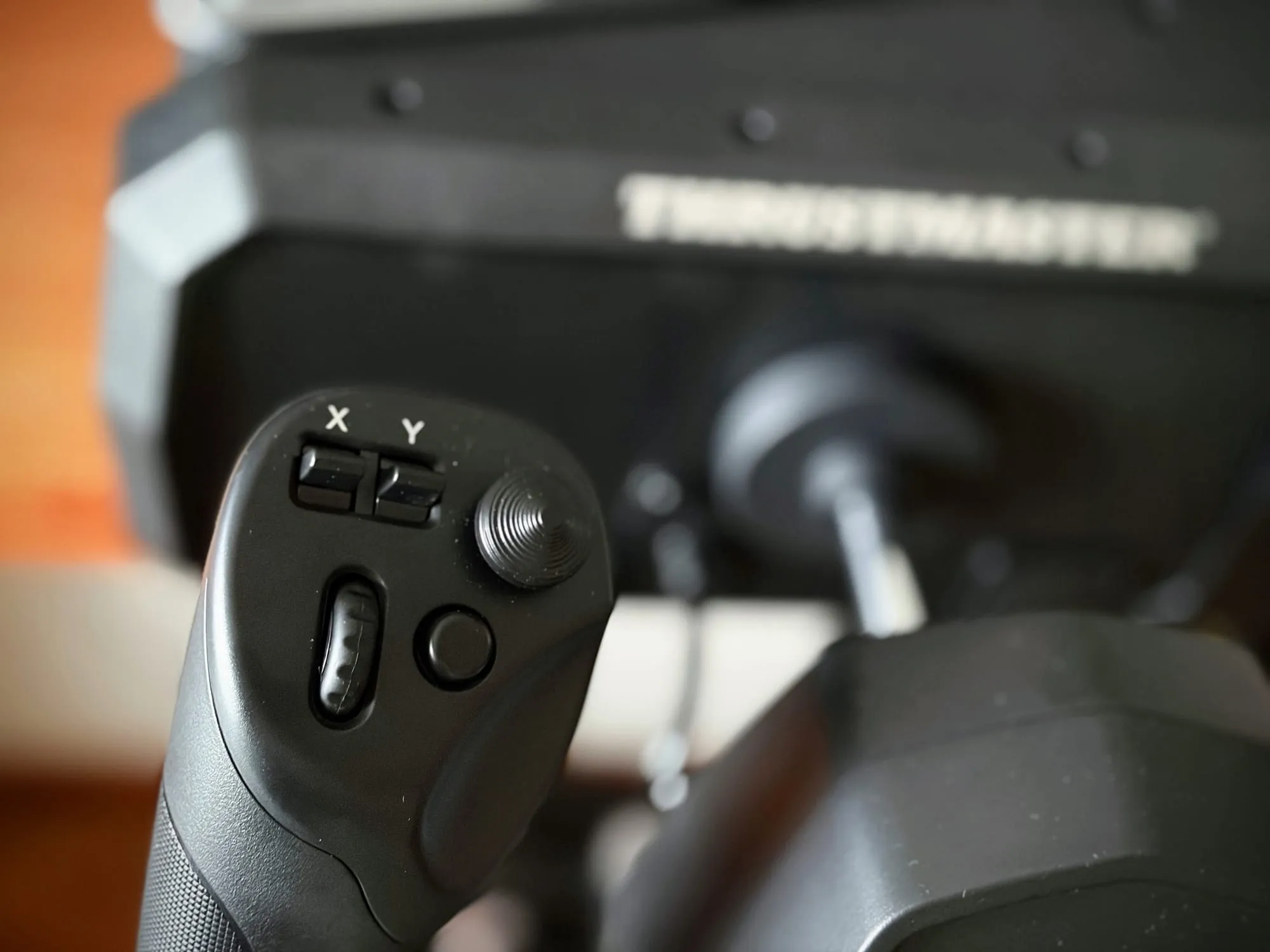
Here's the other thing. The rocker switches are so light that moving flaps up or down gives you almost nothing in the fingers, so you end up checking the screen, which imparts the wrong lesson for student pilots.
There is one green light to show the unit is connected and no other illumination on the entire product. For daylight flying that is a virtue, because nothing distracts. At night you will be hunting by touch. The Honeycomb Alpha's backlit switch panel is the better answer if you can get it at this price.
3. Integration — 3.0/5
One USB-C cable, one device in Windows, and a hub on the back for the TFRP pedals and the TCA Sky Quadrant so the whole set runs off that single cable. The rear ports are real and useful, and Thrustmaster should say so more loudly. There's a USB-A port at the back as well, which is a mystery to me.
What holds the score down is the PC path. A current driver package is required, and the yoke only entered that package in its most recent release, so an older install gives you nothing. Then the sim needs a profile from the Marketplace before any axis responds. Both steps are free and documented in a support article but neither is in the box, and there is no manual for the yoke at all.
It's worth noting that the PlayStation and Xbox versions share a USB product ID and differ by a firmware revision, so you are not choosing different hardware when you choose a console version.
4. Procedural — 3.0/5
This is the yoke's strongest idea and its shakiest execution. One unit covers throttle, trim, rudder and flaps, which means a student can fly a complete circuit without buying anything else. That is the point of the product, and at this price it is genuinely new.
But two things blunt it. The trim wheel is digital and barely moves the trim on a 172. Trimming out an approach does not behave the way it should, and trimming is the habit a student most needs to build. The trigger axes are also so soft that holding the grips adds unintended rudder when you least expect it.
Thrustmaster also sells a two-pilot mode, connecting a second yoke for an instructor and student. I don't have two yokes, so I didn't test it. The vendor publishes nothing on how control is transferred, and the second yoke appears to connect through the first, which means the arbitration is probably in firmware. Whether the passive yoke moves when the other is flown is the question that decides whether this is a training feature or a co-op one.
5. ROI — 4.5/5
Two hundred dollars for a complete set is the best value in this class. It also inherits a decade of Honeycomb brackets and panels through those top mounts, which is value you cannot price. A VelocityOne costs twice as much for the same all-in-one job. An Alpha costs US$300 for a yoke and a switch panel, before you buy a throttle and pedals to go with it. Add those two purchases and the Alpha route reaches this price and passes it.
The half point it gives up is feel, which is where the Alpha shines. The pitch axis on the Sky Yoke is stiffer than the aircraft, the trim wheel does less than the aircraft's, and the manual doesn't even exist. None of that stops a student flying, and none of it changes the fact that this is the cheapest way into a complete setup that clamps to a small desk and comes off in two minutes.
How it compares
| Feature | Thrustmaster Sky Yoke | Turtle Beach VelocityOne Flight | Honeycomb Alpha |
|---|---|---|---|
| Price | US$200 | US$400 | US$300 |
| Weight | 2,495 g | Not published | 4,769 g |
| Dimensions (H × W × D) | 180 × 344 × 440 mm | 183 × 496 × 483 mm | 208 × 273 × 410 mm |
| Roll rotation | 180° | 180° | 180° |
| Pitch travel | 9 cm | Not published | Not published |
| Axes | 7 sold, 8 in the USB report | 12 | Not published |
| Buttons and switches | 24 buttons, 8-way hat, mini-stick, 2 analog triggers | 2 POV, 2 four-way hats, 8 push buttons, 10 quadrant buttons | 8-way POV, rockers, 3 buttons, push-to-talk, switch panel with 5-position ignition |
| Throttle | Lever built in | Quadrant built in | None |
| Trim | Notched wheel built in | Wheel built in | None |
| Rudder | Two analog triggers | Integrated rudder and toe brakes | None, pedals sold separately |
| Mounting | One clamp included, plus top mounts on the Honeycomb M4 pattern | Stand sold separately | Dual mounting solution included, same M4 top pattern |
| Consoles | Xbox or PlayStation, plus PC | Xbox, plus PC | PC and Mac |
| Warranty | Not stated on the product page | Not stated on the product page | 2 years |
If it is completeness, the Sky Yoke and the VelocityOne both cover it and the Sky Yoke does it for half the money. If it is weight and desk churn, nothing here is close to 2,495 g. If it is control feel, the Alpha still sets the standard at this price while asking you to buy the rest of the aeroplane separately.
Who this is for
- A student starting sim training with no gear at all, who wants one purchase that covers a full circuit
- Anyone with a small desk, because this comes off in under two minutes and even takes a keyboard on top
- A pilot who wants a second, lighter yoke for travel or a laptop setup
- Anyone whose desk has to become a desk again at the end of a session
- A console owner on Xbox or PlayStation who wants a GA yoke, since the Honeycomb Alpha is not a console device
Who should skip
- Anyone who already owns a yoke and pedals, because the mechanics are a step down from an Alpha
- Flyers who want a light pitch axis, since this one is firm and not adjustable
- Night flyers, since there is no backlighting anywhere on the unit
- Flight schools wanting a two-pilot rig today, until the Dual Control mode is tested and documented
What would change the verdict quickly
- Publish the manual, and put the Marketplace profile step in it on page one
- Document a pitch tension adjustment, or ship one, as the Boeing yoke already does
- Publish the top-mount pattern: counter-sunk M4 hex on the Honeycomb spacing, which means the Alpha's brackets and panels fit
- Fix the installer's odd camera permission request
- Mark one button in red so it can carry an autopilot master toggle without a hunt
- Make the rocker switches heavier so flaps can be set by feel
Frequently asked questions
Is the Sky Yoke worth US$200?
Yes, if you are starting from nothing. It is the cheapest way to get a yoke, throttle, trim and rudder control in one purchase, and the clamp makes it liveable on a small desk.
Does it work with Microsoft Flight Simulator out of the box?
Not on a PC. You install Thrustmaster's driver package, then download a free control profile from the sim's Marketplace before any axis responds.
Can I fly without rudder pedals?
Yes. The two analog triggers in the grips can carry yaw, which is what makes this a complete set. Watch for accidental rudder input if you grip hard, and consider mapping them to buttons instead.
Can I mount it under a desk, or against a wall?
Under a desk, use a bracket built for a Honeycomb Alpha. The top mounts are the same counter-sunk M4 hex pattern, and an Alpha bracket bolted straight onto my unit. Against a wall, the shaft protrudes through the back and needs clearance; on a normal desk that cost me a little screen distance and nothing else.
What is the difference between the Xbox and PlayStation versions?
The same USB product ID and different firmware revisions, so the hardware is the same. Choose the one that matches your console, or the Xbox version if you only fly on PC.
Specs verified against Thrustmaster, Turtle Beach and Honeycomb product pages, 26 October 2026. Prices rounded up.