
Tools
Three free Windows apps for Microsoft Flight Simulator: clients for the Octavi IFR-1 and the PU Radio, and a reference point for analogue trim wheels.
Free software for your sim
Three Windows apps for Microsoft Flight Simulator 2024: a client for the Octavi IFR-1 panel, a client for the PU Radio, and a reference point for an analogue trim wheel.
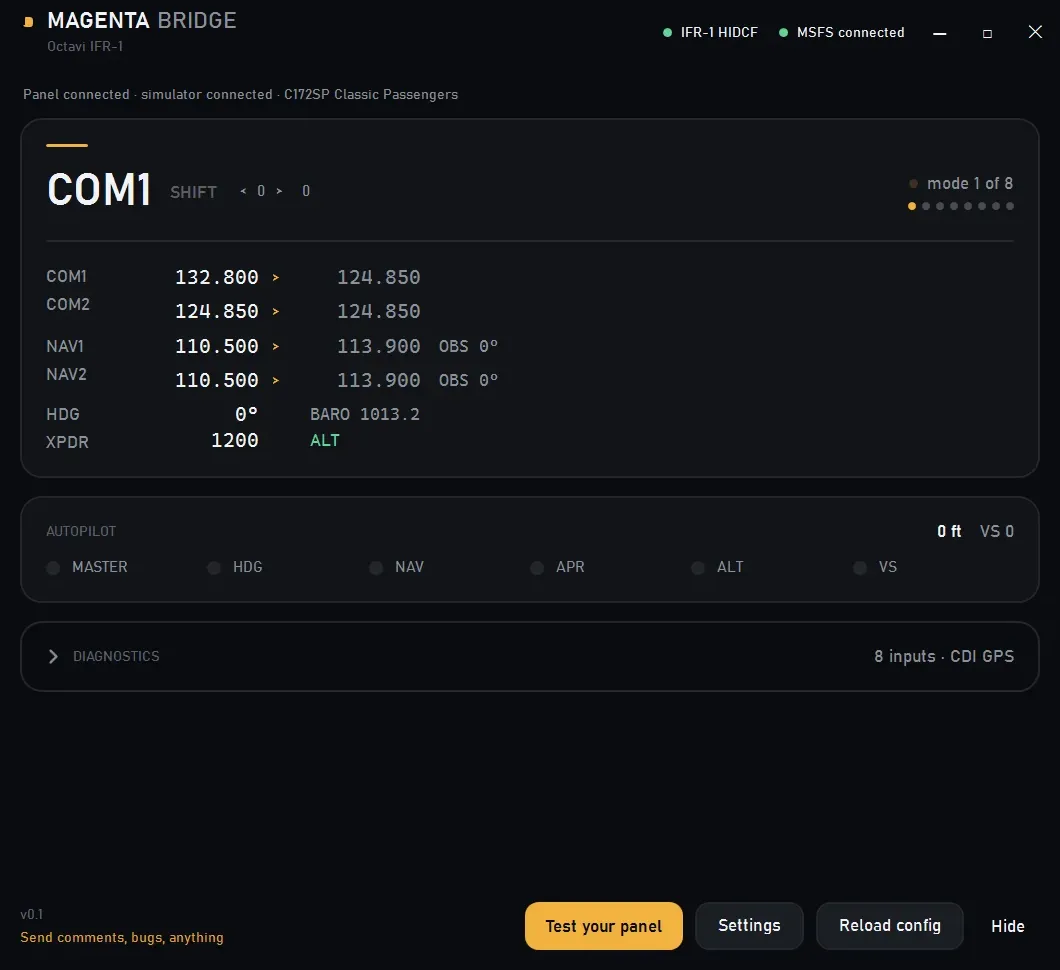
Magenta Bridge for Octavi IFR-1
A Windows client for the Octavi IFR-1 panel in MSFS 2024. It talks to the panel directly and drives the aircraft's radios, autopilot and transponder. Octavi's own plug-in has not been updated since February 2025 and cannot move NAV standby; this does, with no MobiFlight, no .NET runtime and no WASM module.
What it does
- COM1, COM2, NAV1 and NAV2 standby tuning from the panel's own knobs, with swap on press. Shift gives HDG, BARO, CRS1 and CRS2
- Autopilot target altitude, the six AP buttons and the master switch, with the lamps following the aircraft rather than the last button pressed
- Squawk, IDENT and all four transponder modes, a live radio stack that reads the aircraft's frequencies, and a guided test that lists every input as it arrives
Not supported: the panel's GPS section — its GNS530/430 rotary knobs and softkeys. MSFS exposes those only to code running inside the simulator, which is why Octavi's own manual sends you to MobiFlight.
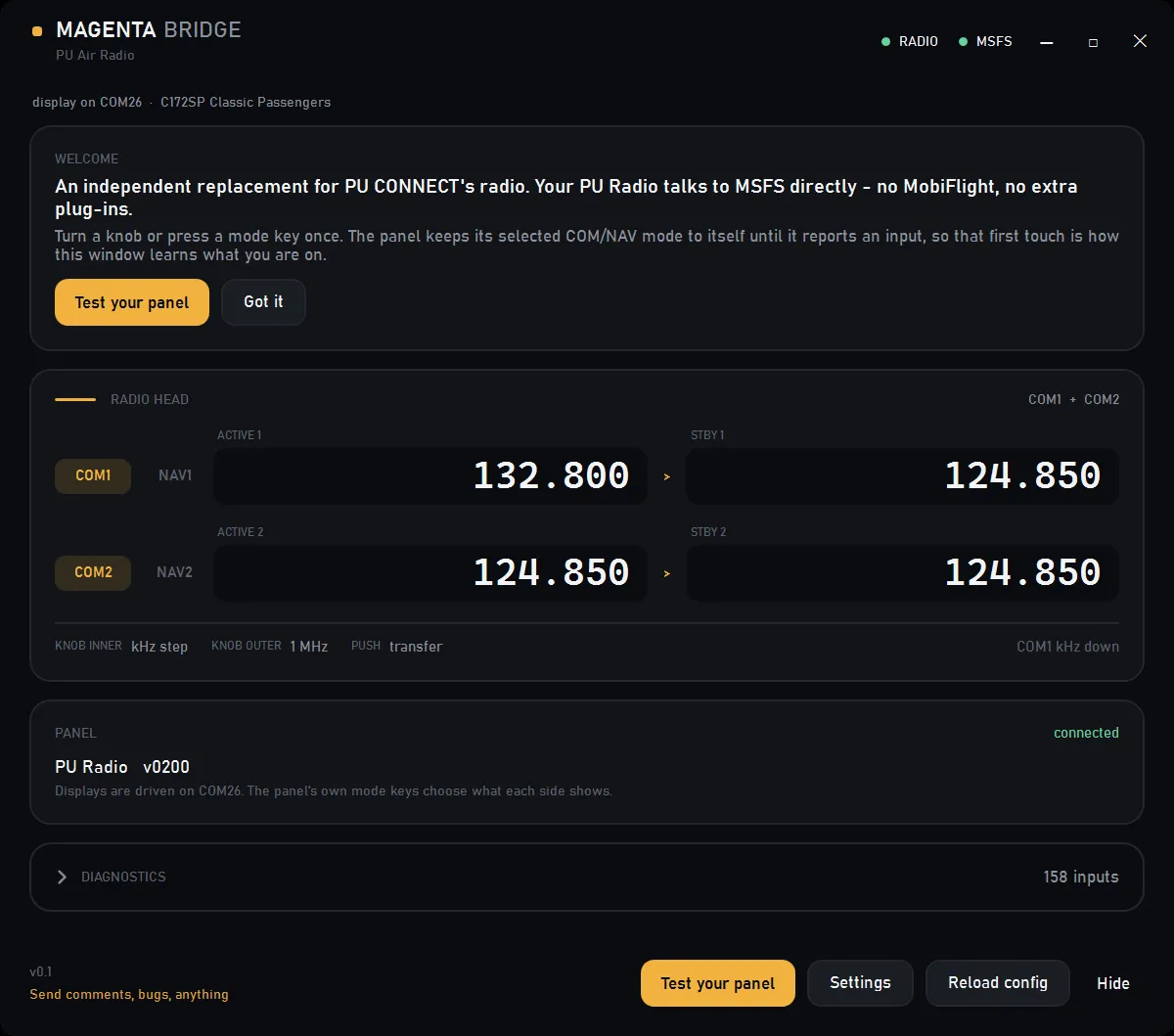
Magenta Bridge for PU Air Radio
A Windows client for the PU Radio panel in MSFS 2024. The panel's rings tune COM1, COM2, NAV1 and NAV2, its four readouts mirror the sim, and the window shows both rows the way a radio head does. PU CONNECT does not need to be running, and there is no MobiFlight, driver or .NET runtime to install.
What it does
- COM1, COM2, NAV1 and NAV2 tuning from the panel's own rings, with active and standby transfer on the knob pushes, and COM or NAV formatting following the panel's switches
- The four readouts driven from the live sim, both brightness fields remembered, and the aircraft named at the top of the window
- A guided test that exercises all 14 inputs, and a clock on the panel while MSFS is closed or sitting in a menu
Hardware limit: the panel drops encoder detents before they reach USB — an independent capture counted about five reports from twelve deliberate clicks. PU CONNECT loses the same ones.
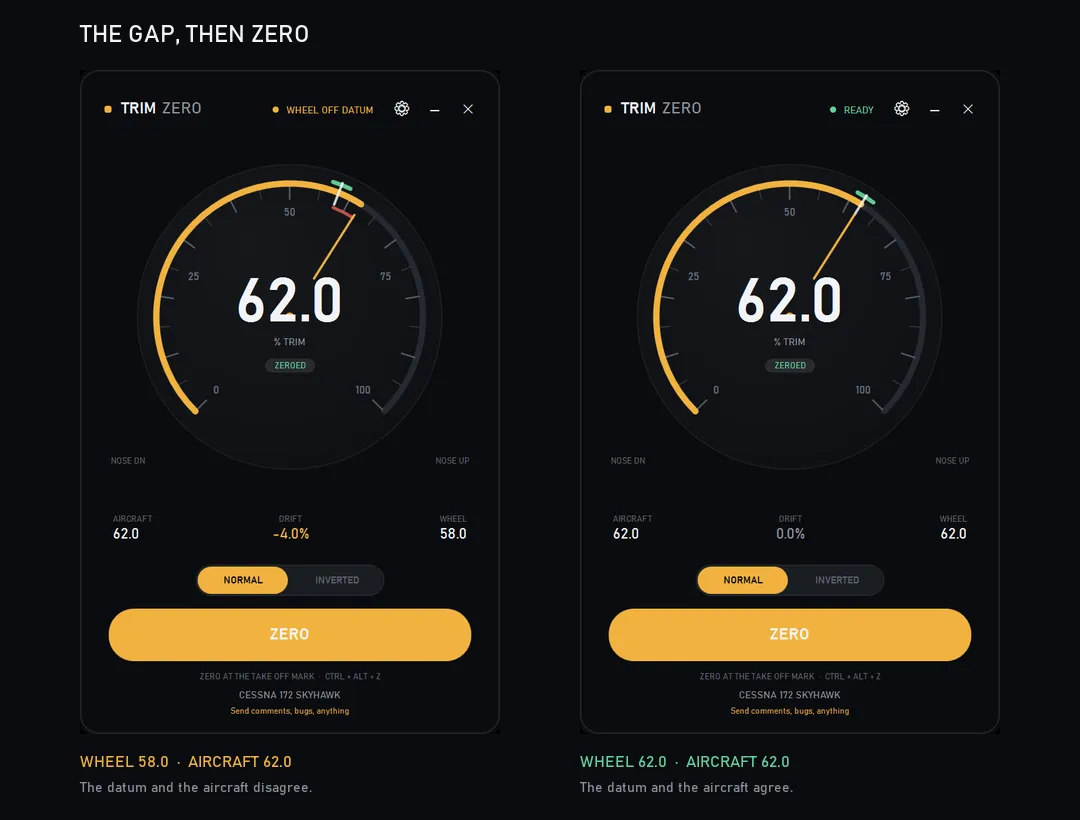
Trim Zero
A reference point for an analogue trim wheel. It records where your TAKE OFF mark sits against the aircraft's trim, and shows when the two have drifted apart. The sim moves trim on its own — autopilot, a reload, a lost control binding — while the wheel stays where you left it, so the next movement snaps the aircraft back.
What it does
- ZERO records the wheel position and the aircraft's trim and writes no trim, so it cannot move the aircraft
- Two gains either side of the mark stretch the wheel's short travel across the aircraft's full trim range
- Direction is remembered per aircraft, the wheel goes inert while the autopilot is engaged and re-seeds when you disconnect, and drift is always visible
Analogue axes only: Meza, Saitek, Logitech, Desktop Pilot, or a DIY DirectInput axis. Encoder wheels such as the Honeycomb Bravo send steps rather than a position, so they are out.
All three are MIT licensed, with the source and issue tracker on GitHub. No telemetry, no updater, no network calls.
