MOZA AB6 force feedback review: affordable trim and stall training for GA students at US$400.
The cheapest way to feel a light aircraft's controls load up, with trim that teaches a habit a sprung stick cannot — held back by an install that assumes you will spend your first evenings inside its settings menus.
The cheapest way to feel a light aircraft's controls load up, with trim that teaches a habit a sprung stick cannot — held back by an install that assumes you will spend your first evenings inside its settings menus.
| Mechanics | 4.5 / 5 |
| Tactility | 5.0 / 5 |
| Integration | 3.5 / 5 |
| Procedural | 4.0 / 5 |
| ROI | 4.5 / 5 |
Magenta exists for people learning to fly, and sim hardware earns its place at the desk by teaching something the aircraft will also teach. That makes the useful question about force feedback narrower than the one most reviews ask. Whether a base feels immersive, or how it handles a warbird at full deflection, tells a student pilot nothing about the approach they are about to fly.
Two cues transfer in a way a sprung stick cannot fake: the pressure that trim takes off the stick, and the buffet that arrives as the wing approaches the stall. A 172, a Jabiru or a SportCruiser talks to your hand in both moments, and the hardware most pilots buy can only tell them about it afterwards, on an instrument.
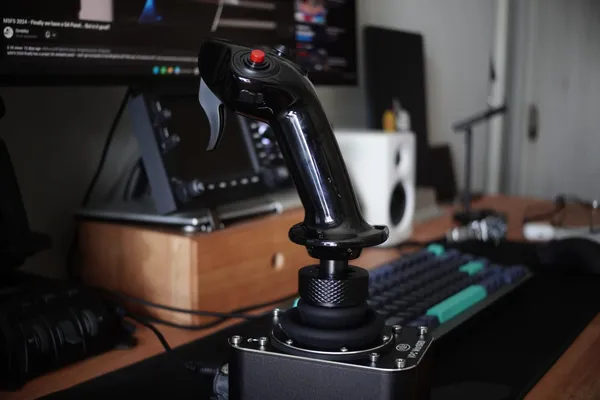
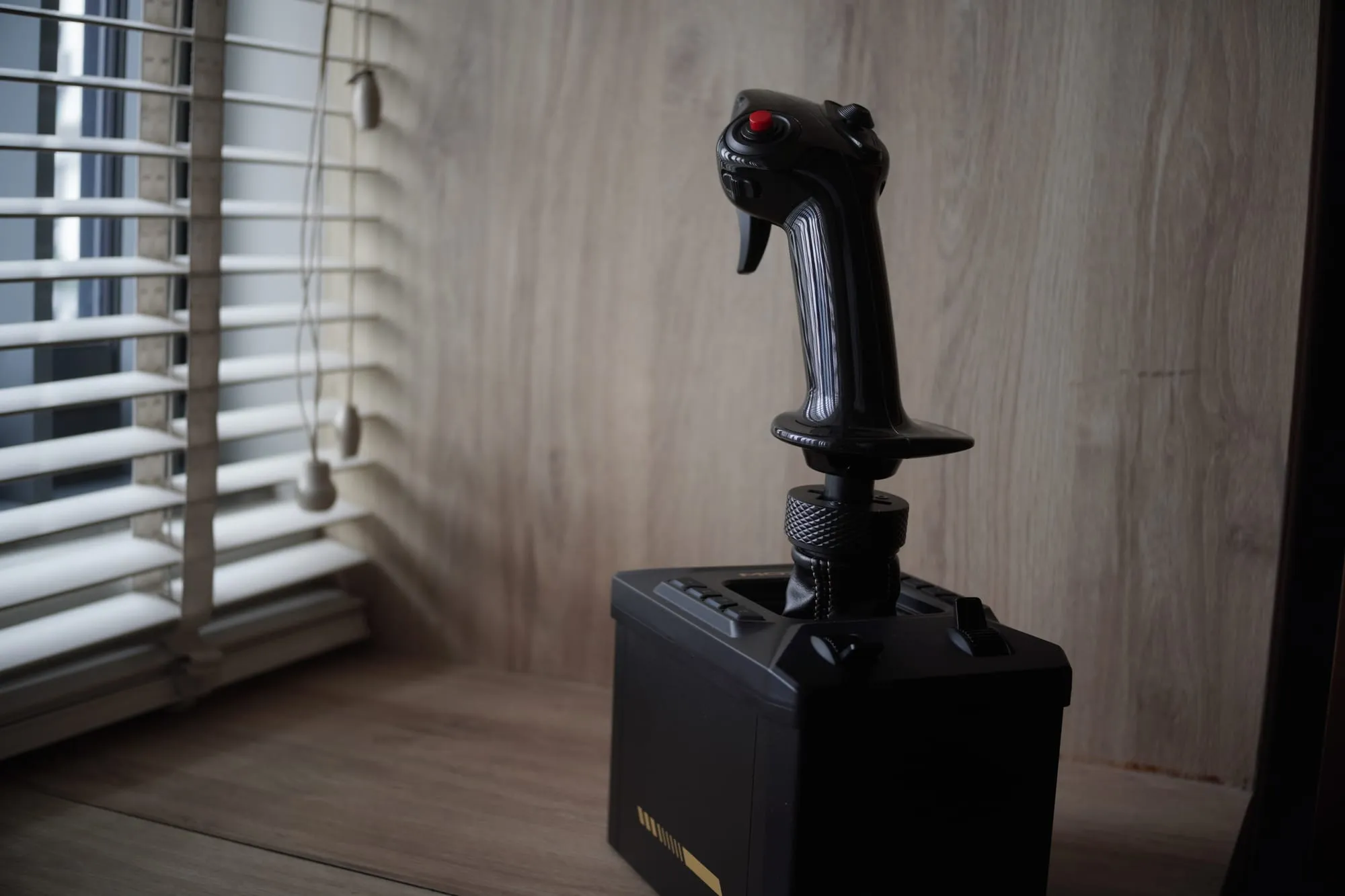
I bought the MOZA AB6 at retail and flew it in the 172 G1000 with the MA3X side stick I already owned, leaving the grip that comes in the box untouched. It is the first hardware that has given me those two cues, and nothing about it works until you have spent several evenings in the settings menus.
About this review
I bought this unit myself at retail in Singapore, during a sale that took 25% off MOZA's Singapore list price of SGD$659. The bundle lists at US$399 on MOZA's US store. There is no relationship with MOZA, no review sample, and no affiliate links in this piece. MOZA did not see a draft before publication, and I keep the units I review. Every finding below was made on MOZA Cockpit, the software that comes with the base, because that is what a buyer installs first.
What this is
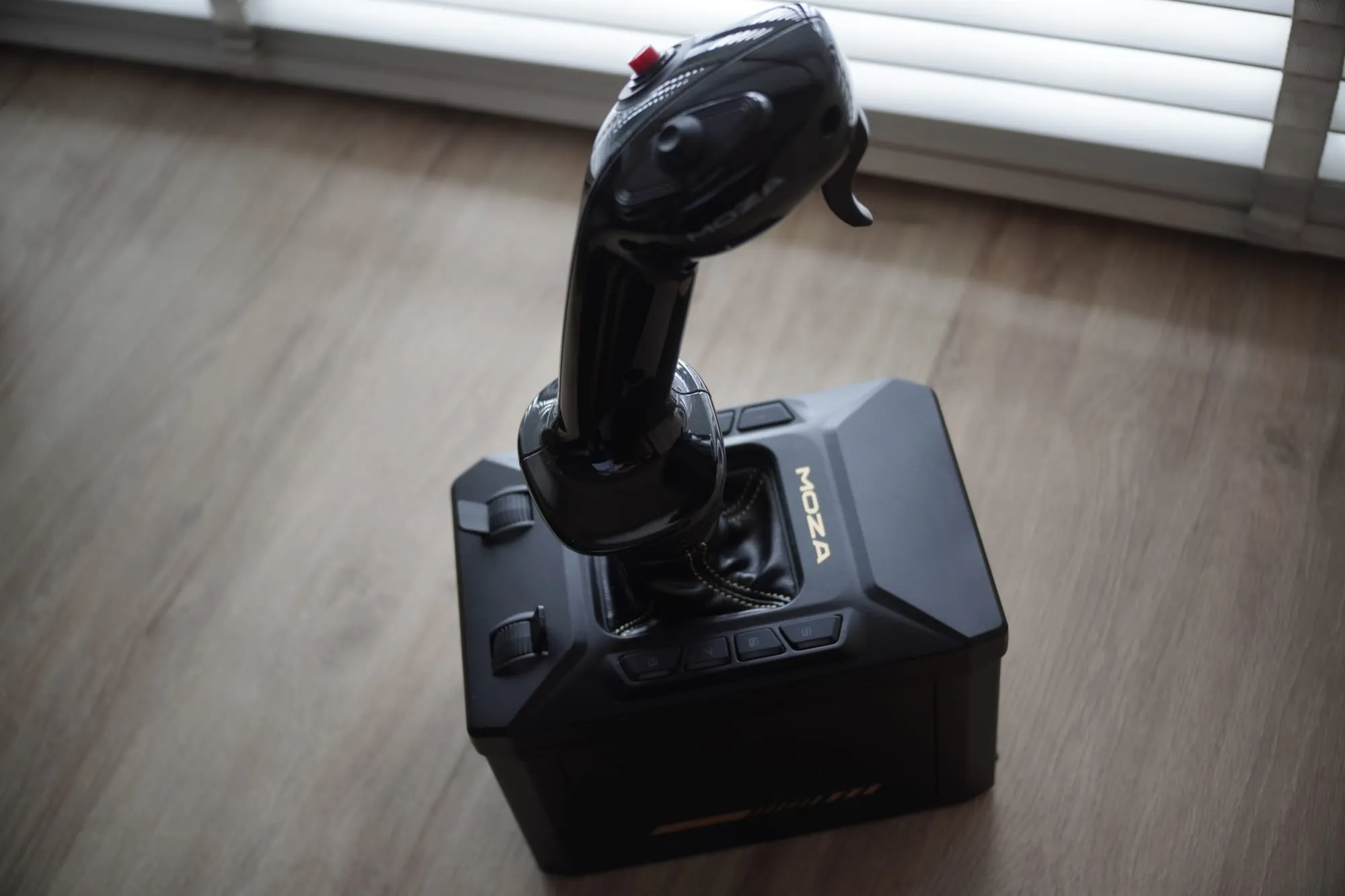
The AB6 is MOZA's entry force feedback flight base, sold only as a bundle with a flightstick and a desk clamp. It is the cheapest way into force feedback for flight simulation that does not involve a second-hand SideWinder.
- Type: force feedback flight base with dual outrunner servo motors
- Torque: 6 N·m peak combined, 4.4 N·m continuous on the roll axis
- Travel: ±20° roll, ±17° pitch
- Construction: aluminium alloy housing, 2.95 kg, 188 × 123 × 163 mm
- Sensing: 15-bit magnetic encoder, 1000 Hz USB polling
- Power: 72 W, 110–220 V AC to 12 V DC, own power supply included
- Connectivity: USB-B to USB-A, plus ports for rudder pedals, throttle and a dash display
- Panel: two analog sliders and eight RGB-backlit buttons on the base itself
- Mounting: desk clamp included, base mount adapter and E-stop switch sold separately
- Software: MOZA Cockpit, with telemetry force feedback for MSFS 2020/2024, X-Plane 11/12, DCS and IL-2
- Grip: sold with the MHG flightstick; this review was flown on a MOZA MA3X side stick, and the bundled grip was never fitted
- Platform: PC
- Warranty: 12 months on the base and grip, excluding cables, screws and packaging
- Price: US$399 on MOZA's US store, SGD$659 in Singapore, bundle only — there is no base-only SKU
What you should expect in practice:
- It needs a free power socket and its own power brick, with a proprietary input jack
- The data cable is USB-B to USB-A, so it will not match a USB-C desk
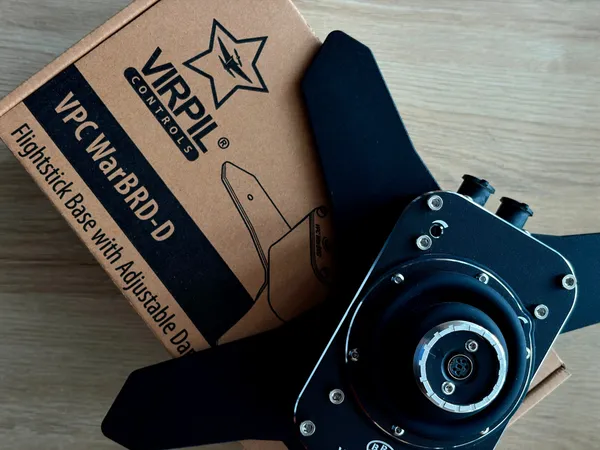
- It stands roughly twice the height of a Virpil WarBRD or a Thrustmaster AVA base, which moves your stick position on the desk
- It is not plug-and-play, and the calibration step most buyers skip is not optional
- Everything you feel is a setting: damping, trim, effect strengths
- The payoff arrives at two moments, trim and the approach to the stall
Setup and first-use reality
The packaging is better than the price suggests: a box with its own handle, foam cut to the shape of the contents, and the base sealed in a bag inside that. Pulling the base out takes real effort, and the first thing you notice is the heft. "Think of it as what a brick would weigh," I noted at the time, and it holds up in the hand in a way the photographs do not prepare you for.
The first surprise was not the force feedback. It was the power supply. The base needs its own brick and a free socket, and the input jack is proprietary, so it cost me a slot on the power bar and I ended up borrowing the one my second monitor was using. The second surprise was the cable, which is USB-B at the base and USB-A at the computer, in a desk I had already moved almost entirely to USB-C. Then the height. The AB6 stands about twice as tall as the Thrustmaster AVA and the Virpil WarBRD bases I already had, so the stick ends up noticeably higher on the desk. I run it standing on the desktop rather than clamped, for the flexibility of moving it when I need the space, and its own weight plus the rubber pads underneath hold it in place. That choice means I cannot tell you anything useful about the included clamp, which is the most criticised part of this bundle in other reviews. Mine is still in the box. The grip I flew with is the MOZA MA3X side stick I already owned and had reviewed here. It mounts on the same five-pin aviation connector the base uses, and fitting it means re-running calibration and then the cogging torque calibration, which is the step MOZA's support articles call for after a change of grip. The MHG flightstick that comes in the box has never been on the base. Both honest facts belong here: the bundle includes a grip I am not using, and the grip I am using needs a calibration routine that most owners skip.
Force feedback itself landed slowly. For the first few minutes it did not feel significant, which turned out to be my fault rather than the hardware's: the settings that matter sit under Telemetry FFB inside Cockpit, and until damping and trim are adjusted the base behaves like a motorised stick rather than an aircraft. Once tuned, two things arrived in order. The first was the buffet at the stall, which I could feel in the stick through several stalls in the 172. The second, and the one that changed how I fly it, was trim.
The Magenta Standard evaluation
1. Mechanics: does it mimic real aircraft control travel and resistance? — 4.5/5
The force you feel with the aircraft in motion is derived from what the simulator is doing rather than from a spring, so a 172's elevator is light at low speed and firm at cruise, and it goes slack as you approach the stall. That behaviour is the reason force feedback exists, and this base delivers it at a price nothing else matches.
Two reservations keep it short of full marks. The first is travel: ±20° roll and ±17° pitch is a wide range for a desktop stick, and MOZA claims it exceeds most short-throw flightsticks, but nobody has measured that against the actual stick travel of a light single, so I am not going to assert it here. The second is that the stick has no spring to hold it, which means the base carries a measurable imbalance with a grip fitted — the base's own weight pulls it forward with the forces released. You feel that when you let go rather than when you fly.
At 6 N·m peak it will run out of headroom on a heavy warbird flown at the limit, which matters to exactly nobody who is practising for a PPL.
One texture note, because owners raise it constantly: there is a faint graininess in the stick's movement at low power, on slow deliberate inputs, which they describe as cogging. It fades in flight once the forces are doing something, and if nobody had told me to look for it I would not have noticed. That reads as a mechanical texture rather than a control problem, and it is the reason this pillar is not a 5.
2. Tactility: can you operate it eyes-outside? — 5.0/5
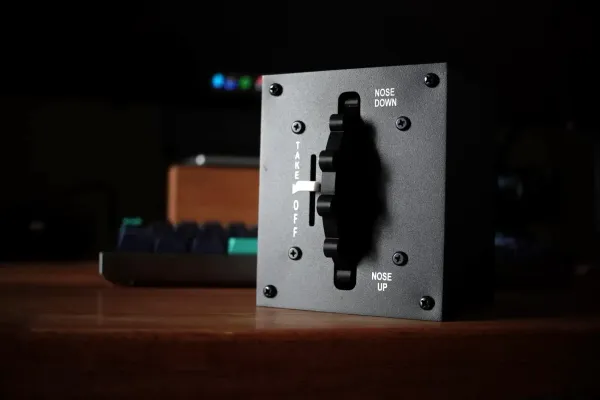
This is where the training argument gets real, and it is the reason to buy this base. Trimming is something you do by hand in an aircraft: you keep adjusting the wheel until the pressure leaves the stick, and the test is whether the aircraft holds its pitch with your hand off it. A sprung sim stick breaks that loop, because it feels the same whether the aircraft is in trim or fighting you, so the only evidence left is on the instruments. Here the pressure comes off in your hand, and you know the aircraft is trimmed before you ever let go. The stall buffet is the second cue, and it arrives through the stick before the aircraft breaks.
That pressure cue is the feeling a GA pilot is training for, and nothing at this price produces it. I am scoring the class of feedback rather than the finish of the hardware: the base's own sliders and buttons went unconfigured in my setup because I already fly with a throttle quadrant, and their quality is not what a pilot buys this for.
3. Integration: how seamlessly does it interface with training software? — 3.5/5
It works, and Cockpit's telemetry force feedback is supported in MSFS 2020 and 2024, X-Plane 11 and 12, DCS and IL-2. Once configured, the connection is stable and the effects did what the settings said they would. The base also carries its own panel, two analog sliders and eight backlit buttons, which I left unconfigured because my throttle quadrant already covers those jobs. A pilot without one has more use for it, and Cockpit maps it in the same place as everything else.
The cost is that configuring it is the product. This is the least plug-and-play hardware I have tested. Setup runs through calibration, then a cogging torque calibration, then per-aircraft work inside Telemetry FFB, and it took me several evenings to get the 172 feeling the way I wanted. Owners report spending one and a half to two hours per aircraft preset. For a hardware review, that is a real deduction rather than a footnote, because a student who never gets past the defaults never reaches the part of the product this review is recommending.
The harder limit is the pilot, not the software. If you have never been up in an aircraft, or you are early enough in training that you are still forming a picture of what correct feels like, you have no way to tell whether the forces at your desk are right. Learning what the right feel is happens in the aircraft with an instructor, and a simulator cannot originate it. That matters more here than on a sprung base, because the feel is a setting: a beginner can tune this base into behaviour no light aircraft would produce and have no way of knowing.
I have a reference a pre-solo student does not. When the 172 felt wrong at the stick, I could usually say why, which is what kept the tuning to evenings rather than weeks. If you do not have that reference yet, borrow one: ask an instructor or a pilot you know to sit at your desk for twenty minutes and tell you whether the forces feel like the aircraft. It is the cheapest accuracy improvement available to a home setup.
MOZA also publishes no changelog for Cockpit or for the base's firmware, so you cannot see what has changed or what is coming. That is a fixable problem and I have put it in the list at the end.
4. Procedural: does it support correct muscle memory for syllabus checklists? — 4.0/5
Trim is a procedure rather than a setting: takeoff trim before the runup, rolls of trim through the climb, re-trim at level-off, and again on the approach. The technique is physical, and the check is the same one an instructor gives you — let go of the stick and see whether the aircraft keeps the pitch you asked for. On a sprung stick you get none of that feedback while your hand is on the stick, so the habit that forms is watching the instruments to find out whether you are trimmed. Here the pressure comes off in your hand, and the hands-off check becomes something you can feel coming rather than discover afterwards.
The stall cue needs one qualification, and it is the most interesting thing I found. In a 172 the horn is the primary warning and the buffet follows, so the useful question about a buffeting stick is whether the buffet arrives late enough to leave the horn in charge. FFB-Bridge's published 172 profile is deliberately tuned so that it stays modest for exactly this reason. Cockpit's buffet arrived clearly in my testing, and I could not establish its timing relative to the horn to my own satisfaction. I would rather flag that than claim a fidelity this review cannot demonstrate.
5. ROI: does the proficiency gain justify the cost vs aircraft rental hours? — 4.5/5
At US$399 the bundle includes the base, a grip and a desk clamp, and the next base up in MOZA's own line is more expensive before you add a stick. Nothing else close to this price delivers control loading. An hour of aircraft rental at any school I have flown with costs a meaningful fraction of the whole bundle, so a student who uses it twice a week for a year is not making a close call.
The two qualifications are the software time, which is unpaid and real, and the answer to the question this review keeps running into: what this hardware can do is defined by software that someone else maintains, and whether you get the improvements is a choice you have to make rather than something the box decides for you.
The feel is a file, not a part
On the base I already owned, changing the feel meant changing parts. Heavier springs, a different cam profile, an afternoon with hex keys and grease, and then either the aircraft suited the result or it did not. A force feedback base replaces the mechanism with a motor and a number. There is no spring inside the AB6 at all, so the motors are responsible for every bit of feel, and what that feel is comes down to a configuration file that can be rewritten on a Tuesday afternoon.
That makes the base the least interesting part of what you buy. The hardware contributes motors, an encoder and a power stage. What a pilot actually feels — how heavy the elevator is at 90 knots, how much pressure trim takes off the stick, whether the buffet arrives before or after the horn — is decided in software, per aircraft. I felt that from the buyer's side on day one, because the hardware did not impress me until I had been through the settings.
The clearest evidence that this is engineering rather than taste comes from a source I did not expect to cite in a review of MOZA's software. FFB-Bridge, the third-party force model that MOZA partnered with in September 2026, publishes its 172 profile value by value with a source for each one. The airspeed curve is set to 2.0 because a direct cable control feels raw hinge moment, which scales with roughly the square of speed. The G-load anchor is tied to the documented figure of more than 20 lb per G on a 172, sourced to AOPA. Trim sits at 30% because a 172 pilot still flies through pressure changes, so trim should relieve meaningfully without becoming set-and-forget. That is a force model built from flight manuals and pilot accounts, and it is the clearest statement of what the software on this base is actually doing.
Which brings me to the partnership, and why it is the most interesting thing about buying this base. MOZA did not build a software team for its flight line. It gave the project that the community had already chosen over its own app access to its hardware, its development kit and its engineers, and in return its bases are validated devices in that app. That buys a force model instead of building one. It brings MOZA force feedback to macOS and Linux, where Cockpit does not go at all. It moves the software layer that users complain about onto a partner's roadmap. And because that project validates hardware one device at a time, MOZA's flight bases sit above a rival's on its support tiers.
What that means for a buyer is narrower than it sounds. The base you buy today can gain capability tomorrow without new hardware, because everything you feel is a setting, and the partnership is a signal that someone with a fast release cadence is working on this hardware. It is a signal rather than a promise, and MOZA's own silence on its software history is the reason you cannot check it yourself.
Who this is for
- Student and recreational pilots flying GA types who want to practise trim and stall recognition at home
- Anyone building a first sim setup who wants the cheapest hardware that delivers control loading
- Desk-bound simmers: this stands on a desk, which the next base up will not
- Pilots who kept an eye on force feedback for years and were waiting for it to be affordable
- Owners of a MOZA flight grip already, since the base takes the grips you own
Who should skip
- Anyone who wants plug-and-play. Plan on several evenings before the hardware earns its price
- Beginners with no real-world reference for control feel who will not use a sourced profile or borrow a pilot to check the setup, since you can tune this badly and never know
- Combat and helicopter simmers chasing maximum force. 6 N·m peak runs out on heavy airframes at the limit
- Buyers who want a base only and no spare grip. The bundle is the only way to buy it
- Simmers who already run a higher-torque base and are happy with it
- Pilots with no desk space for a base twice the height of a WarBRD
What would change the verdict quickly
- Publish a changelog for Cockpit and the base firmware, so an owner can tell whether a complaint has already been fixed
- Ship a curated 172 profile. MOZA's own guidance is a starting point in percentages, and the community has had to fill the gap, which is the wrong order
- Document the calibration sequence in the app rather than in support articles, since the cogging torque step is the one buyers skip
- Offer the base without a spare grip, for pilots who already own one
- Publish the ±20° travel against a real light single's stick travel, or stop claiming the comparison
Test conditions
Published because almost nobody in this category does it, and because these are the facts that carry between readers. The tuning values, which run to dozens of parameters, deliberately do not appear: they are specific to this desk, this grip and this taste, and copying them would help nobody.
- Base: MOZA AB6, firmware 1.1.5.2
- Grip: MOZA MA3X side stick; the bundled MHG was not fitted
- Simulator: Microsoft Flight Simulator 2024
- Aircraft: Cessna 172 G1000
- Software: MOZA Cockpit, current build at the time of testing
- Mount: standing on the desktop, no clamp