PU Air GNS 530 review: The right nav workflow, but unfinished
At US$250, the PU Air GNS 530 is the lowest-cost way to get a full physical nav workflow into MSFS 2024. The screen runs at double the resolution of the real Garmin unit. The build quality — rattly, light, wobbly dials — is the honest trade-off.
Sim to solo Flying for real as well? Compare training pathways →
The best-value way to get a full physical GNS 530 workflow into MSFS 2024 — strong procedural value undermined by build-quality signals that still read as production sample.
| Mechanics | 3.5 / 5 |
| Tactility | 3.5 / 5 |
| Integration | 3 / 5 |
| Procedural | 4.5 / 5 |
| ROI | 4.5 / 5 |
A GPS navigator is one of the few pieces of sim hardware that can change what you practice. Not because it looks like a cockpit, but because it makes you run a real avionics workflow — knob turns, cursor logic, page stacks, and the tiny sequence decisions that separate “I know roughly where to tap” from “I can do this under workload.”
If you’re a GA student using Microsoft Flight Simulator 2024 to rehearse navigation and cockpit flow, the GNS 530 is a strange kind of leverage. It’s old tech in real aviation terms (Garmin first introduced this in 1998 and discontinued it in 2011), but it’s still everywhere in training aircraft. It also forces a discipline modern glass often hides: deliberate page management, deliberate data entry, deliberate cross-check.
The PU Air Korea GNS 530 aims at that procedural value for US$250 shipped worldwide. Two things are true at once: it gives you the full knob-heavy muscle memory loop at a price that undercuts the benchmark, and it still feels like a production sample — light, a little hollow, and physically less confident than you want from a device you’ll touch every flight.
What this is
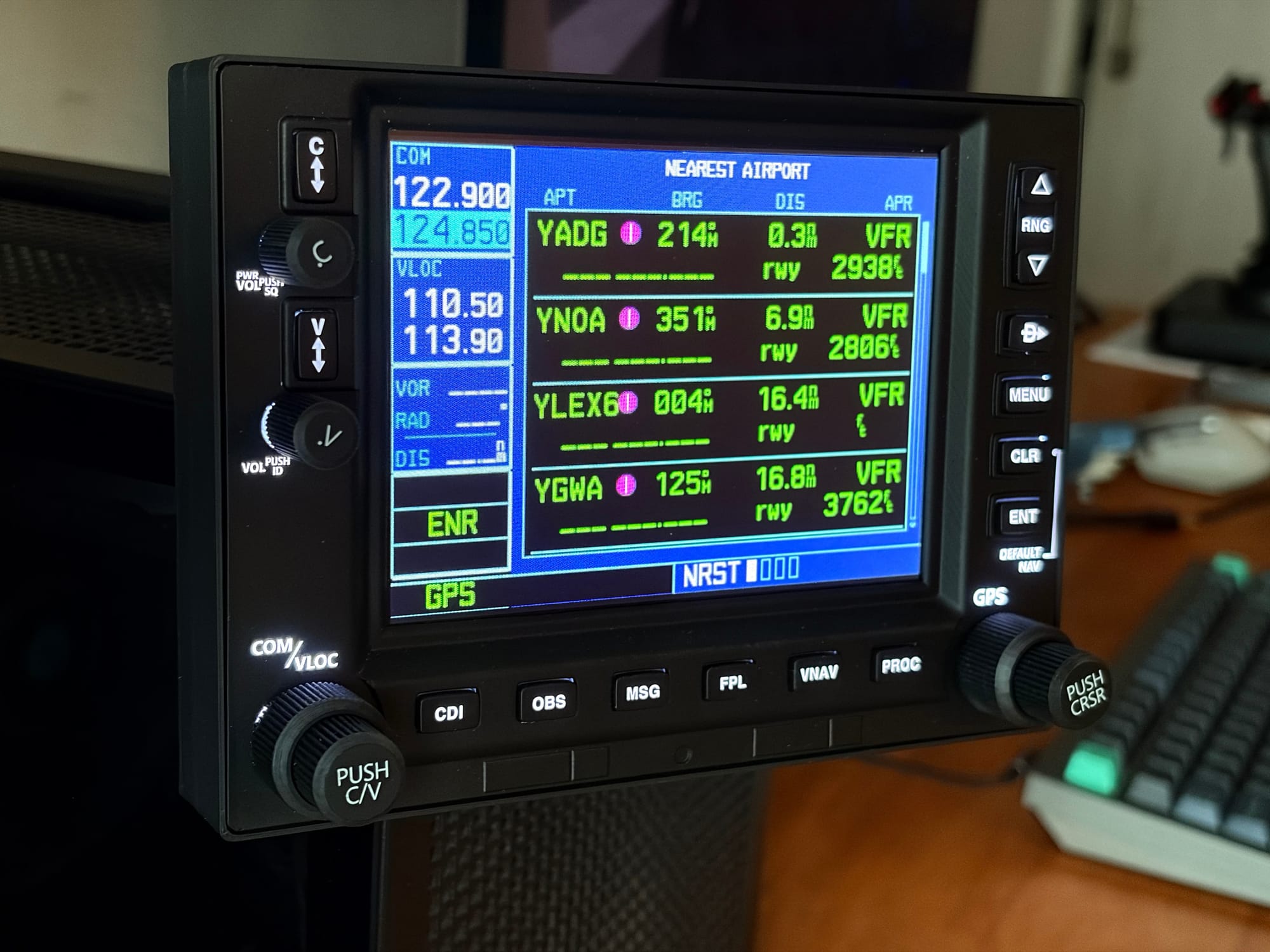
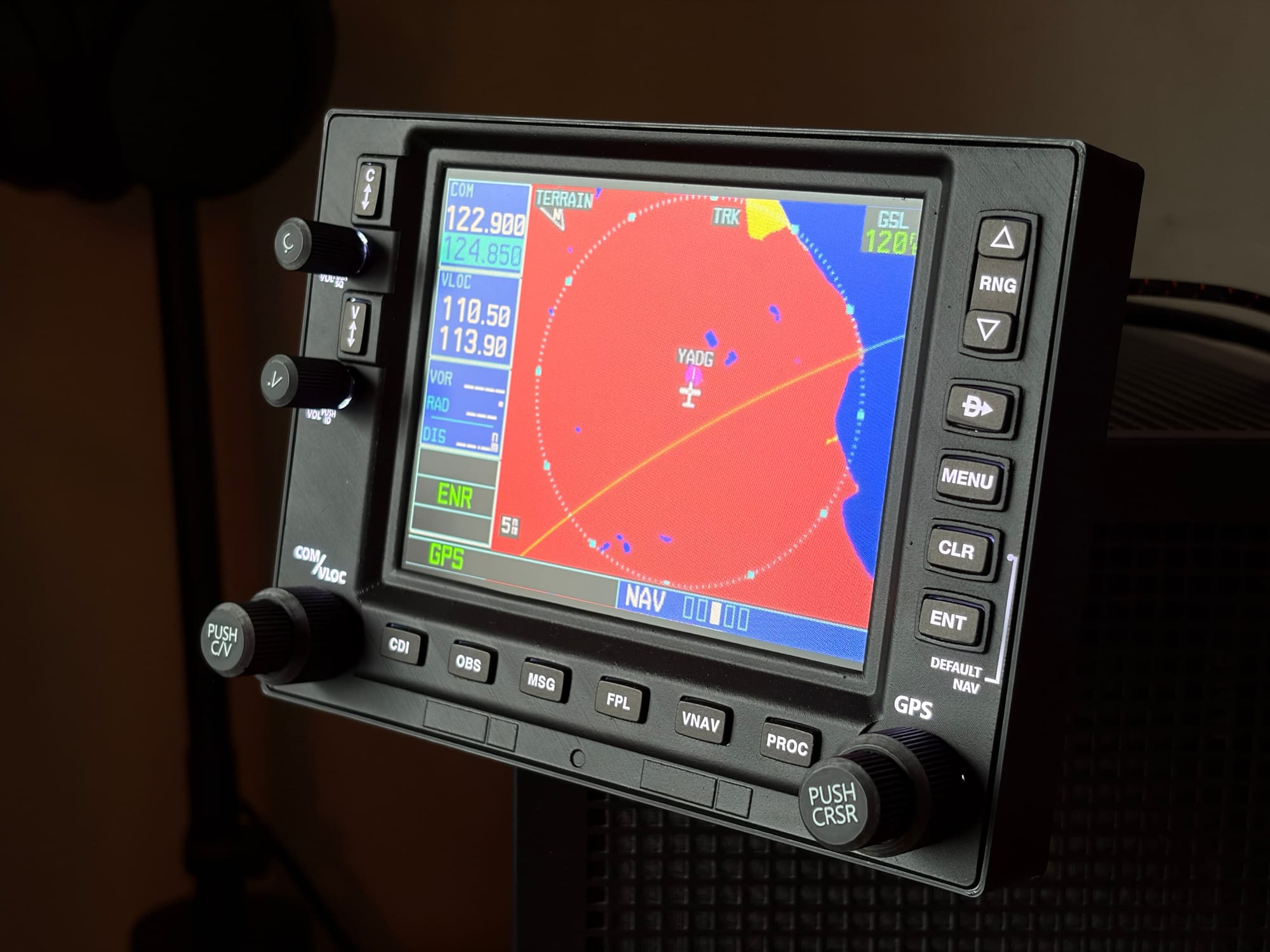
The PU GNS 530 is a physical GNS 530-style GPS/NAV/COM unit designed for desktop simulation. It combines a working bezel (buttons + concentric knobs) with a built-in screen, and it relies on an external monitor popout workflow in Microsoft Flight Simulator. It is meant for pilots who want to get off the mouse and into a repeatable avionics workflow, and it does that well.
At a practical level, you should expect three things:
First, you’ll need a spare HDMI port on your graphics card. The screen output comes over HDMI, so this isn’t a single-cable device.
Second, this is MSFS-first right now. X-Plane support is listed as planned rather than delivered.
One MSFS gotcha: it was surprisingly hard to find GNS 530-equipped aircraft in MSFS 2024. The Cessna 172 in the Standard Edition ships with the G1000, not a 530. That means you may have to buy an add-on aircraft to actually use this (I bought the Cessna 172 SP just to review this). So before you buy the hardware, confirm the aircraft you want to fly is GNS 530 equipped.
Third, it’s not trying to be a museum-accurate home cockpit replica but comes close. It’s trying to be a procedural training device that happens to look like a 530.
Out of the box
The packaging is basic and minimal. There’s no model number on the box and no sense that this is a polished retail product. It’s functional shipping, not a brand moment.
Inside, you get the display unit, a USB-C to USB-A cable, and a MagSafe-style stand. That stand is a welcome consistency if you’ve used PU Air’s other gear (like their radio panel we reviewed) — it’s a genuinely practical mounting choice because it lets you borrow from the existing MagSafe accessory ecosystem instead of forcing proprietary mounting.
In hand, the unit is lighter than you expect. The shell finish is good enough that you don’t see horrible 3D print layer lines, but the weight and the overall “hollow” feel still signals that this is closer to a production sample than a finished consumer product.
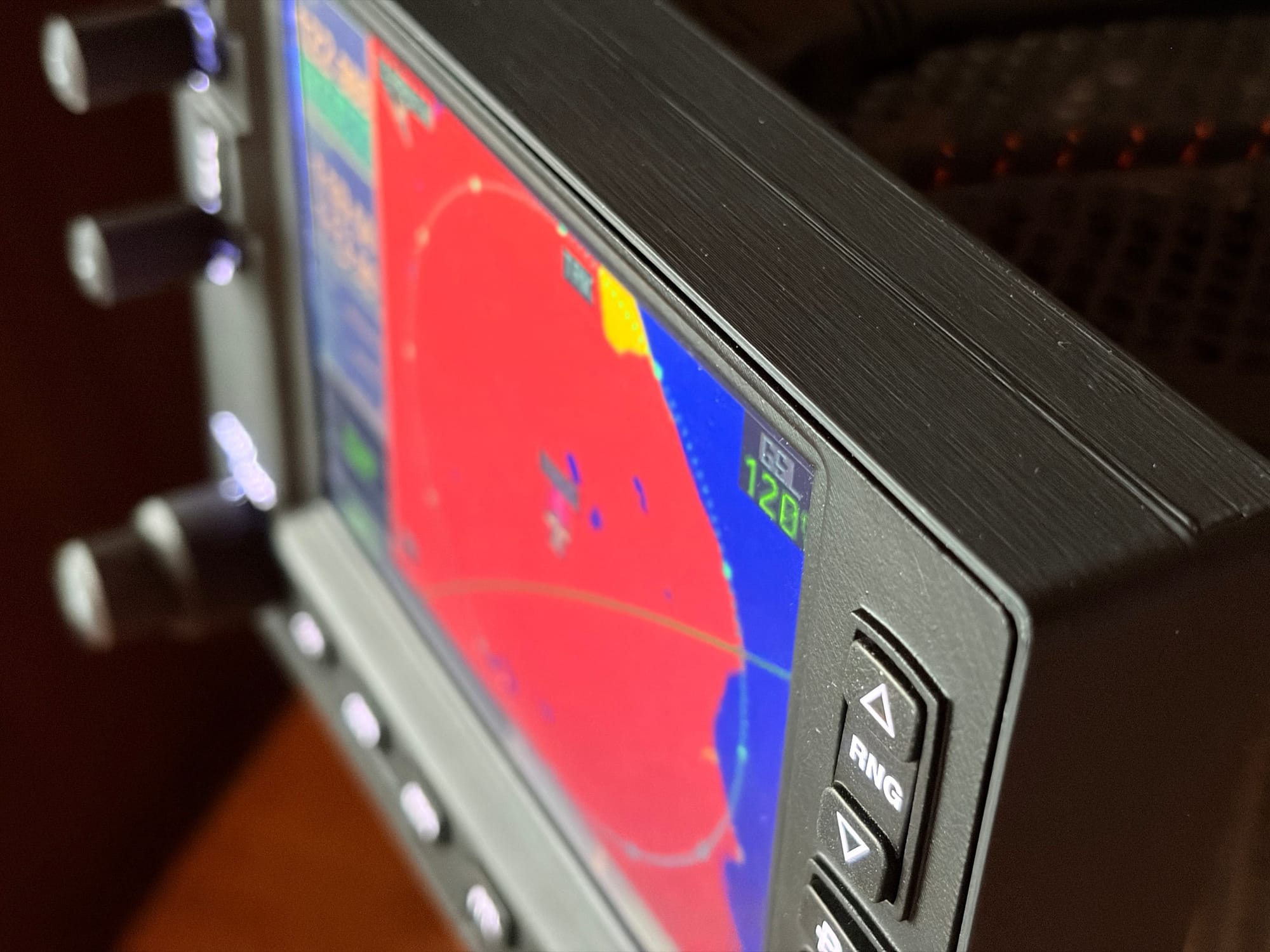
One detail that matters: the unit rattled when shaken. Something felt loose inside. On a device whose value is “trust your hands,” a rattle is the opposite signal you want.
Setup and first-use reality
Setup is mostly frictionless once you understand what’s happening. In MSFS 2024, you pop out the in-cockpit GNS 530 display, and then use PU’s software to “execute” the connection. When it works, it feels immediate — and once the sim is running, the physical build compromises recede. The workflow takes over.
Two practical constraints show up quickly.
The first is ports and routing. You need USB for inputs and HDMI for the screen. If your PC is already running multiple monitors, this can become the real cost of ownership.
The second is ecosystem maturity. This is the same theme as PU’s other devices: the hardware has clear intent, but the software experience with the Windows 95 look-and-feel is where you notice the small-company limits.
Where training friction shows up (and why it matters)
A great training device needs two things: reliable inputs and repeatability. This is where the PU GNS 530 can either become a high-rep procedural tool, or a source of small but compounding irritation.
The buttons feel light and clicky, with a hollow response that doesn’t inspire confidence. The large rotary dials (especially the push-type ones) felt wobbly in the housing — they don’t sit as solidly as you want when you’re trying to build fine-motor precision. That wobble matters because the entire point of this device is “do it by feel.”
I also saw occasional input skips — similar to the PU Air radio unit. It’s annoying in the moment, and it may ultimately be a software issue, but it’s still a training problem because it breaks trust in the device.
PU Air Korea has been candid that they’ve struggled to find the right balance between materials, performance, and practicality. The early shells were 3D printed. They’ve iterated on finish and laser engraving, but they also said materials and overall shell quality remain improvement targets.
The screen is usable — and the resolution story is worth stating clearly. On my PC, the PU display enumerated as 640 × 480, which sounds modest by modern standards. But the real Garmin GNS 530 runs at 320 × 234 pixels – so the PU screen is running at more than double the resolution of the actual avionics it simulates.
In procedural training terms, that's more than enough. The matte finish is appreciated. The one genuine gripe: no brightness control in hardware or software for either the screen or the backlight. In practice, the backlight runs a bit bright, which immediately becomes obvious if you have your sim rig in your bedroom. Not a deal breaker, but one more reminder that this is not yet a "finished product" experience.
The unit also ran noticeably warm at the top, and there are no obvious ventilation cues. That may be fine long-term, but it’s worth monitoring given this is a device that is meant to be left on for long sessions.
Finally, there’s the “finished product” gap: no integrated mounting brackets, and no clear published mounting guidance. The unit is somewhat usable one-handed on the MagSafe stand, but it isn’t as secure as I want — it would be better anchored, and right now there aren’t other mounting options.
This sounds like a small detail, but it’s a core training mechanism. If you’re always chasing the box across your desk, you can’t build stable muscle memory. Anchoring is what turns “cool hardware” into a repeatable procedural tool.
The Magenta Standard evaluation
Every piece of hardware reviewed by Magenta is audited against five pillars to ensure it functions as a procedural training device, not desk decoration. The point is not immersion. We are looking for procedural skills transfer.
The Magenta Standard Evaluation
Every piece of hardware reviewed is evaluated against five professional criteria to ensure it serves as a true procedural training device.
| Criteria | Evaluation Logic |
|---|---|
| 01 Mechanics | Does the hardware mimic the physical forces and control travel found in real General Aviation aircraft? |
| 02 Tactility | Does it support eyes-outside operation through distinct physical feedback and ergonomic positioning? |
| 03 Integration | How seamlessly does the device interface with Electronic Flight Bags (EFB) and professional training software? |
| 04 Procedural | Does the hardware support the muscle memory needed for actual syllabus requirements and cockpit checklists? |
| 05 ROI | Does the measurable gain in proficiency justify the hardware cost compared to wet-hire aircraft rental hours? |
WANT TO DIVE DEEPER? VIEW THE MAGENTA STANDARD →
1. Mechanics: does it reinforce correct control behaviors for avionics work?
Verdict: Strong procedural mechanics, but the physical execution limits confidence
A GNS 530 is not about force feedback or control travel. It’s about whether the physical interface reinforces correct avionics behavior: concentric knob work, cursor logic, push-to-enter patterns, and page-based navigation.
The PU succeeds on the core premise: you are forced into a real knob workflow. That alone creates training value.
Where it wobbles — literally — is hardware confidence. Wobbly dials and hollow-feeling buttons are not just “cheap.” They introduce small uncertainty during the exact moments you’re trying to build a reliable motor sequence.
2. Tactility: can you operate it without looking down?
Verdict: Better than a mouse, but tactile clarity is inconsistent
The step-change improvement is obvious: you stop hunting for on-screen click targets and start doing the workflow with your hands. That supports the eyes-outside discipline you want in real flying.
But tactile training depends on crisp, repeatable feedback. Light, hollow buttons and loose-feeling rotary controls make it harder to trust the device in busy moments. This isn’t fatal, but it’s the difference between “useful” and “effortless.”
3. Integration: does it fit real pilot workflows and real desks?
Verdict: Works in MSFS 2024, but HDMI + software dependency adds real friction
The MSFS popout approach is workable and, once configured, can be genuinely productive. The problem is that integration isn’t just “does it connect.” It’s whether the device fits naturally into your desk and your workflow.
Needing a spare HDMI port is the first hidden constraint. The second is that the unit depends on PU software to operate. If that software is crude, it becomes part of your training friction.
4. Procedural: does it build syllabus-relevant skills that transfer?
Verdict: High procedural value if you fly behind a 530 (or will), weaker if you don’t
This is where the PU GNS 530 earns its keep. If you fly (or expect to fly) a C172 or similar aircraft equipped with a GNS 530, this is legitimate rehearsal. The device lets you drill direct-to, flight plan edits, frequency management, and the basic “avionics while flying” split attention problem.
If you don’t fly behind a 530, the case weakens. You’re still training general avionics discipline, but you’re not rehearsing your cockpit.
5. ROI: does the cost justify the training value?
Verdict: Yes for MSFS pilots who want a physical 530 workflow on a budget, with a build-quality asterisk
At US$250 shipped worldwide, this undercuts the benchmark while delivering the core training loop.
That benchmark is the RealSimGear GNS 530, currently priced around US$299 (sale pricing) and sold out at the time of writing, with shipping additional. In all-in terms, PU is roughly US$50 cheaper — and depending on your location, potentially more.
The ROI question is the same as always: would this prevent even one or two hours of remedial dual instruction by letting you rehearse avionics workflow at home? If you’re genuinely using it for weekly procedural reps, yes.
The caveat is durability and trust. If the dials continue to wobble and inputs skip or degrade over time, the training value collapses. Procedural training needs confidence.
Verdict
Two things are true:
This is likely the best-value way to get a full physical GNS 530 workflow into MSFS 2024 right now. It will make you practice differently — more deliberately, with more procedure and less mouse.
It also feels like a small company still climbing toward “finished product.” The rattle, the light buttons, the wobbly dials, and the lack of mature mounting guidance are all solvable problems — but they’re real.
Who should buy it:
- GA pilots and students flying (or expecting to fly) aircraft equipped with a GNS 530 who want to rehearse the real knob-and-button workflow at home
- MSFS 2024 pilots who want to reduce mouse interaction and build avionics muscle memory, and have a spare HDMI port available
- Anyone who values the procedural loop more than replica-grade materials
Who should skip it:
- X-Plane users who need native support today (wait until that compatibility is real)
- Pilots building a clean panel-mount cockpit who expect proper bracket systems and published cutout dimensions
- Anyone who is sensitive to build-quality cues and wants “finished product” hardware confidence on day one
About this review
PU Air Korea sent this unit for review with no financial arrangement. It will be kept for comparison with competing hardware and future software updates, if any. PU Air Korea was not shown a draft before publication, and review angles were not discussed in advance.
Tested on Microsoft Flight Simulator 2024. X-Plane support was listed as planned at the time of writing, not delivered.