
Octavi IFR-1 review: A premium radio panel with real-world compromises (2026).
The Octavi IFR-1 delivers excellent build quality and satisfying tactile feedback, but ergonomic compromises and visibility issues in low light hold it back from being a complete training tool.

What the Octavi IFR-1 is
The Octavi IFR-1 is a compact hardware panel designed to replicate COM/NAV radio stacks and autopilot controls found in General Aviation cockpits. It features a dual rotary encoder system, eight context buttons for selecting COM1/2, NAV1/2, FMS1/2, transponder, and autopilot modes, plus 14 LED-backlit buttons that provide real-time feedback on device state and autopilot status. The device connects via USB-C and works with Microsoft Flight Simulator 2024 and X-Plane 12 through native software or third-party tools like Mobiflight.
At €151.25 (around US$165) excluding shipping, it sits in the upper-middle tier of sim avionics hardware — more expensive than software-only solutions, but cheaper than full-scale replica bezels like the RealSimGear GNS530.
The Magenta Standard Evaluation
Every piece of hardware reviewed is evaluated against five professional criteria to ensure it serves as a true procedural training device.
| Criteria | Evaluation Logic |
|---|---|
| 01 Mechanics | Does the hardware mimic the physical forces and control travel found in real General Aviation aircraft? |
| 02 Tactility | Does it support eyes-outside operation through distinct physical feedback and ergonomic positioning? |
| 03 Integration | How seamlessly does the device interface with Electronic Flight Bags (EFB) and professional training software? |
| 04 Procedural | Does the hardware support the muscle memory needed for actual syllabus requirements and cockpit checklists? |
| 05 ROI | Does the measurable gain in proficiency justify the hardware cost compared to wet-hire aircraft rental hours? |
WANT TO DIVE DEEPER? VIEW THE MAGENTA STANDARD →
1. Mechanics: Satisfying tactile quality
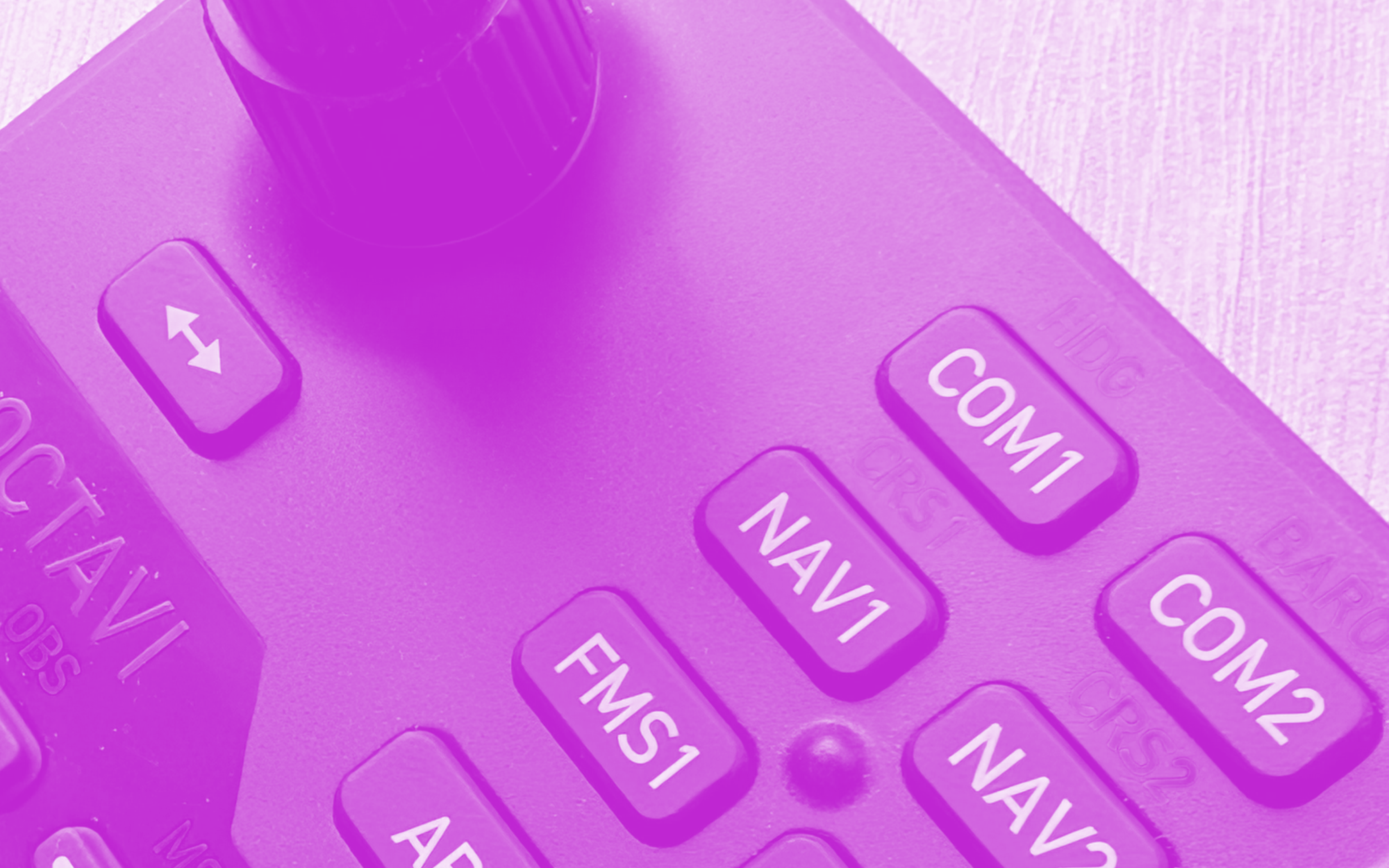
The rotary dial is the standout feature. Each click is crisp, defined, and weighted just enough to prevent accidental inputs. Twisting through frequencies feels deliberate, which mirrors the resistance of real avionics knobs in training aircraft like a Cessna 172 or Piper Warrior.
The rubber buttons are soft, responsive, and clearly printed. They compress with a light touch but don't feel mushy — a good balance for rapid frequency swaps during circuit work or when copying clearances under time pressure.
The matte plastic casing feels solid in hand. It doesn't creak or flex, and the overall impression is that this device will survive regular desk setup and teardown without degrading.
2. Tactility: Eyes-outside operation compromised in low light
The device performs well in daylight or bright cockpit lighting. Button labels are clear, and the layout is intuitive enough that after a few sessions, most operations can be done by feel (especially useful for VR pilots).
The problem emerges at night. Secondary function labels are printed in dark blue, and they become difficult to read in dim conditions. If you're simulating night circuits or IFR approaches in a darkened room, you'll find yourself squinting or reaching for a desk lamp — exactly the opposite of what "eyes-outside" training should encourage.
The LED backlighting provides useful feedback on autopilot status (showing which modes are engaged), but it doesn't solve the label legibility issue. White primary labels remain visible; dark blue secondary labels do not.
3. Operational integration: Software works, but physical placement is awkward
The Octavi IFR-1 works out of the box with MSFS2024, though some users report better stability and customization with Mobiflight. Setup is straightforward, and once configured, the device integrates cleanly into your sim workflow.
The ergonomic issue is the USB port location. Positioned on the top edge of the unit, the cable protrudes upward, which limits placement options on a desk. You can't tuck the device flush against a monitor base or nestle it between other hardware without the cable getting in the way. A rear or side port would have been far more practical. (Octavi says they're making a new, angled cable.)
The device also sits completely flat. A slight tilt angle — even 5 to 10 degrees — would improve reach and visibility, especially during long sessions. As it is, you're either hunching slightly forward or positioning it at an awkward spot on your desk.
There’s a mounting option by CockpitCrafters with their German-crafted aluminum bracket that sits nicely above a Honeycomb Alpha or Bravo. But gosh, that’s US$50. (Here's a cheaper option that I went with – a well-designed 3D-printed mount. And it's free.)
The rubber feet don't grip well. During aggressive button presses or rapid dial twisting, the unit can slide, forcing you to stabilize it with your other hand. For a device marketed toward procedural training, this is a frustrating distraction. That said, this is an easy problem to solve. The feet pick up dust, so it's a matter of wiping them down with a wet cloth. Or just switch them out for another.
Magenta Debrief Flight Sim Reviews
Get the latest hardware and software reviews delivered to your inbox.
4. Procedural value: Builds radio discipline, but shift mode creates confusion
Radio discipline and autopilot management are two of the most overlooked skills in early training. Students often fumble frequencies during busy circuit work or freeze when asked to change COM and NAV settings quickly. The Octavi IFR-1 addresses this by forcing you to twist, swap, and confirm — building the same muscle memory you'll need in a real cockpit.
The autopilot controls add significant training value for IFR work. Being able to dial heading, altitude, and vertical speed using physical knobs rather than clicking on-screen buttons reinforces the flow you'll use in aircraft equipped with Garmin or similar integrated systems. The LED feedback showing which autopilot modes are engaged mirrors real panel annunciators, which helps build mode awareness.
Beyond radio and autopilot, the device also handles transponder codes — useful for students learning to operate in busy controlled airspace where squawk code changes are routine.
The problem is shift mode. The current firmware provides no visual indication when you've entered shift mode, so you can inadvertently change settings without realizing which layer you're on. I'm told a future software update will add a blinking indicator, but until then, this creates procedural uncertainty rather than reducing it. (I'll update this review when the update is available.)
For pre-solo students working through radio navigation exercises or IFR candidates practicing approach plate execution, this ambiguity is a meaningful gap. You want hardware that removes uncertainty, not adds it.
5. Price: Premium cost without premium refinement
The Octavi IFR-1 costs €151.25 (around US$165) excluding shipping, and depending on your location, international shipping can add another US$30 to US$50. That puts the total outlay around US$200 to US$215.
To be fair, the device does more than just radio management — autopilot control and transponder handling add meaningful functionality. For IFR students who already own core flight controls and want a compact, space-saving panel for avionics work, the value proposition improves. But if you're building a complete training rig from scratch on a budget, you're still better off prioritizing pedals and a throttle quadrant first. Those foundational controls deliver more training value per dollar.
The verdict: Good bones, but needs refinement
The Octavi IFR-1 is a well-built device with excellent tactile feedback. The rotary encoder is genuinely satisfying to use, and the rubber buttons feel durable and responsive. If you already have a solid yoke, throttle, and pedals, and you're specifically targeting radio discipline for cross-country or IFR training, this will add procedural value to your sessions.
But the flat orientation, poor grip, awkward USB placement, and low-light legibility issues prevent it from being a complete training tool. The shift mode ambiguity is particularly frustrating for procedural work, where clarity and confidence are the entire point.
Who should buy it: IFR students or pilots building a dedicated sim cockpit who already own core controls and want to develop radio discipline for busy airspace operations.
Who should skip it: Pre-solo students on a budget, or anyone who expects to use it primarily in low-light conditions. Put that US$200+ toward pedals or a throttle quadrant first — those will deliver more training value per dollar.
About this review
I purchased the Octavi IFR-1 with my own money (US$216.64 after shipping to Singapore — don’t tell my wife) and tested it over seven months of procedural training sessions in MSFS2024. No sponsorship, no affiliate links — just an honest evaluation against the Magenta Standard.
If you're building a home training rig and want to know which gear actually transfers to the cockpit, start here with this Magenta guide.