
Desktop Pilot TPM Throttle Box v2 review: Great GA habits, yet unfinished at US$340.
This TPM can build real GA sim power-management habits, but rough finish, missing “finished product” cues, and rudimentary mounting make US$340 hard to justify against Honeycomb’s Sierra.
A throttle-prop-mixture box is one of the few pieces of sim hardware that can change training outcomes. Not because it looks like a cockpit, but because it makes you behave like a pilot.
If you are a student pilot, or early-hours GA, using Microsoft Flight Simulator 2024 or X-Plane to build power-management habits and circuit consistency, a TPM can be a high-leverage upgrade. It moves practice from sliders and mouse drags to repeatable hand movements.
Desktop Pilot’s TPM Throttle Box v2 aims straight at that promise. The procedural value is real. The constraint is in its mounting. If the unit moves, tips, or changes position day to day, you do not get consistent reps, and consistent reps are the entire point. This mounting friction becomes training friction, which makes its US$340 price hard to justify for most students.
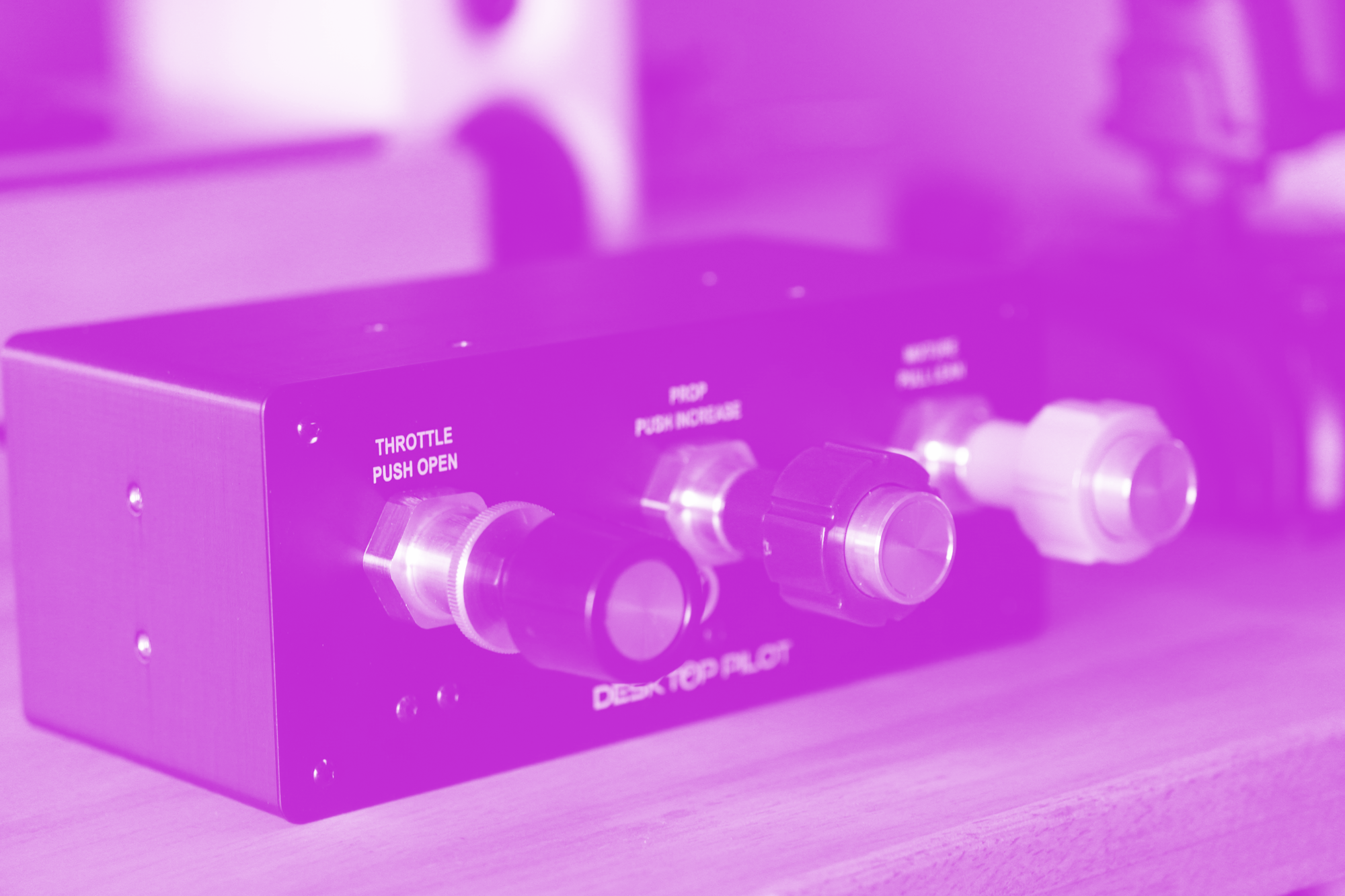
What this is
The Desktop Pilot TPM Throttle Box v2 is a standalone three-axis throttle / prop / mixture module for PC GA sims like Microsoft Flight Simulator 2024 and X-Plane. It is not Xbox compatible.
(Note: Desktop Pilot sells a confusing array of similar products. This is not the TPM Vernier Throttle Box with push-lock and fine twist adjustments — a far more expensive ~US$600 product.)
I have been testing this for about a week for about ten hours of flight time in MSFS. This is what you should expect in practice:
- Fast setup: MSFS detects it immediately; binding took under 5 minutes
- Strong procedural transfer potential for student pilots, provided you can mount it securely and consistently
- High leverage concept, but out-of-box mounting and a few “quality cue” gaps introduce avoidable friction at US$340
Out of the box
The unboxing experience starts strong. Thick packaging, magnetic flap, dense foam cutouts. The box is strangely generic. Despite being sold as an upgraded v2, the packaging gives no obvious cue what model you received.
The unit is compact (though bigger than I had expected), and the knobs are roughly comparable in size to real GA controls.
There are no printed quick-start instructions, and no clear “no driver needed” starter card. Instead there’s a generic QR code that points to the setup instructions for all of the company’s products, which isn’t immediately helpful.
The included USB-A to USB-B cable is functional but unremarkable. It is about one meter long, which is fine for a desktop setup, but it limits placement if you are trying to mount lower and to the right of your desk without a USB extension.
Here's my biggest frustration with it – mounting. 3M double-sided velcro strips are included, but there is no practical guidance for secure mounting, even though this is the day-to-day constraint.
At US$340, these details are not “nice to have”. They are early signals of how this feels like an unfinished product.
Setup and first-use reality
Setup is straightforward.
- Plug it in. It shows up as a controller in MSFS 2024 immediately
- Bind the axes
- Throttle → Throttle Axis
- Prop → Propeller Axis
- Mixture → Mixture Axis
Desktop Pilot also has SkySync, the software for its ecosystem of products. It allows calibration of maximum and minimum throttle and mixture settings, but it is optional. I did not need it to get going.
One tip: check your Assistance settings in MSFS. “Assisted Controller Sensitivity” and “Automixture” should be turned off.
Where training friction shows up (and why it matters)
A training device needs two things: reliable inputs and repeatability. Here are the main friction points that affect repeatability:
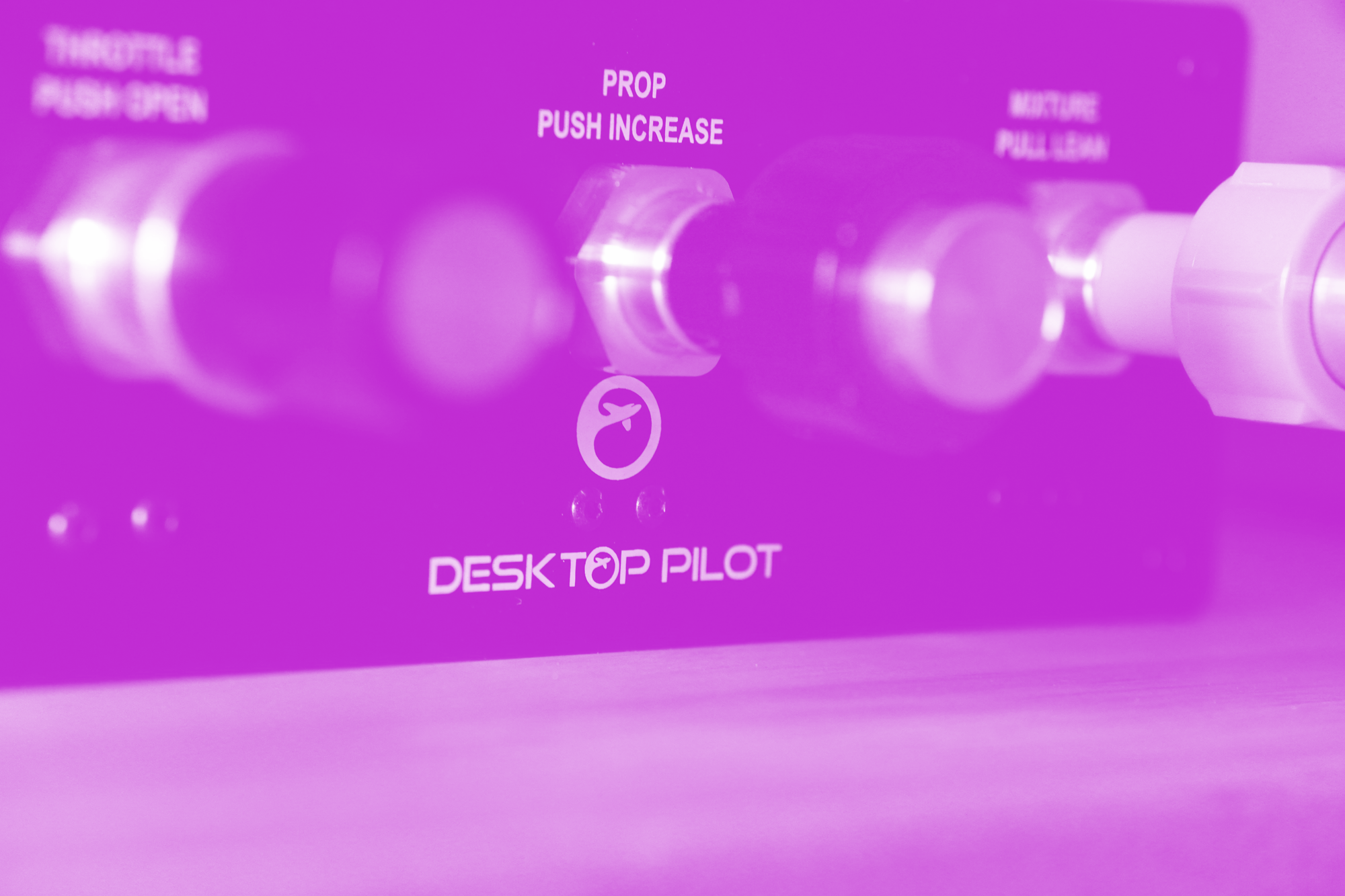
- No power or status light, so you get no visual cue that the device is ready (you rely on the Windows USB connection chime). Troubleshooting is potentially more troublesome
- The glossy plastic knobs feel like the lowest-quality components, with visible mold flash points. My throttle knob arrived with light scratches
- The enclosure is 3D printed and feels hollow. The top creaks and the layer lines are visible, even though the metal face plate on the front is genuinely premium with well-printed lettering, and helps the unit feel more serious
- Most importantly: it does not include rubber feet, and it slides and tips easily under normal use
The last point is the one that matters most for students who don’t have the space to semi-permanently mount this on the desk with velcro strips. If the unit moves every session, your hand position and lever travel become inconsistent. You are not building habits, you are adapting to a moving target.
The Magenta Standard evaluation
Every piece of hardware reviewed by Magenta is audited against five pillars to ensure it functions as a procedural training device, not desk decoration. The point is not immersion. We’re looking for procedural skills transfer.
The Magenta Standard Evaluation
Every piece of hardware reviewed is evaluated against five professional criteria to ensure it serves as a true procedural training device.
| Criteria | Evaluation Logic |
|---|---|
| 01 Mechanics | Does the hardware mimic the physical forces and control travel found in real General Aviation aircraft? |
| 02 Tactility | Does it support eyes-outside operation through distinct physical feedback and ergonomic positioning? |
| 03 Integration | How seamlessly does the device interface with Electronic Flight Bags (EFB) and professional training software? |
| 04 Procedural | Does the hardware support the muscle memory needed for actual syllabus requirements and cockpit checklists? |
| 05 ROI | Does the measurable gain in proficiency justify the hardware cost compared to wet-hire aircraft rental hours? |
WANT TO DIVE DEEPER? VIEW THE MAGENTA STANDARD →
1. Mechanics: Does it mimic real aircraft control travel and resistance?
Verdict: Good mechanics, but tolerance and hard stops interrupt precision
The controls feel smooth, and the throttle tension adjuster is a real advantage. It lets you tune resistance toward something closer to a training aircraft. What holds it back is precision at the exact moment a TPM module should shine.
- The metal axle shaft feels solid and confidence-inspiring, even though the prop and mixture shafts are slightly loose and would benefit from tighter tolerance, which matters when you attempt to make fine adjustments in flight
- End-of-travel is harsh. When you hit the stops, the shaft ends with a hard knock. A simple dampener (like a rubber o-ring) would make this feel more premium and more consistent
2. Tactility: Can you operate it eyes-outside?
Verdict: Highly effective
A dedicated TPM box earns its keep when you can operate by feel — keeping attention outside instead of hunting for sliders. This unit succeeds.
- Dedicated axes reduce mouse interaction and support repeatable hand movements
- The three-lever layout is simple enough that you quickly stop “hunting” for the right control
3. Operational integration: Does it fit real pilot workflows and real desks?
Verdict: Poor mounting quickly becomes training friction
Integration is not “does Windows see it”. It is whether you can place it where a Cessna-style workflow expects it, and keep it there, session after session.
For most student pilots, the ideal desk position is lower and to the right, approximating where a Cessna-style throttle quadrant lives. That placement supports the real workflow: right hand manages power, left stays on the yoke, and the movement becomes a repeatable habit.
The website instructions suggest mounting on the desk using included adhesive strips, or mounting into a panel. Screw points exist on the top and both sides, but there is no practical guidance on what to do with them.
In practice, if you put this loose on a normal desk, it slides with every movement and tips under stronger pulls. Without rubber feet or a clamp-style option, many students will struggle to keep position consistent. I picked up some thick rubber feet (which helped), but ultimately it was my cloth deskpad that stopped any further movement.
If Desktop Pilot shipped an under-desk clamp mount, or a simple non-permanent base that prevented sliding, the training case would strengthen immediately.
4. Procedural value: Does it make you better at flying?
Verdict: High leverage, if you can get repeatable reps
A TPM module can be one of the highest-leverage upgrades in GA simulation because it directly trains power and engine-management habits.
- Downwind power reductions become a repeatable hand movement, not a UI interaction
- Base-to-final corrections become smaller and more natural
- Mixture habits become easier to practise (where applicable)
- Approach energy management becomes less “screen-driven” and more procedural
This is the loop you want as a student: on downwind, reduce power by feel, hold attitude, then make small corrections without looking down at a slider. If the box stays put, you can repeat that sequence until it becomes automatic.
Procedural transfer depends on micro-habits, not aesthetics.
Magenta Debrief Flight Sim Reviews
Get the latest hardware and software reviews delivered to your inbox.
5. Price: Is the ROI real?
Verdict: No, not for most students at US$340
At US$340, this is not an impulse buy. For student pilots, ROI is measured in consistent reps per week.
For most students, the better value is the Honeycomb Sierra TPM Module (around US$250) released in late 2025. It is about US$90 cheaper than Desktop Pilot’s US$340 price — roughly 26% less — and it gives you more procedural surface area per session.
Sierra’s extra controls matter because they expand what a student can rehearse without touching the mouse. Beyond TPM, it adds controls such as trim, flaps, parking brake, and gear, which opens up more realistic circuit reps and checklist flows. And if that wasn’t enough, Honeycomb also added metal vernier handles that allow for both push-pull movements and a functional twist mechanism.
The Sierra also pairs cleanly with Honeycomb’s Alpha yoke, which many GA simmers already own. If you are already invested in the Honeycomb ecosystem, Sierra is the obvious match.
Desktop Pilot’s unit still makes sense in a narrower case: if you specifically want a dedicated TPM module that occupies a smaller space, and you already have a secure mounting plan that locks in position and prevents sliding.
One more practical consideration: this unit is TPM only. You will still need a trim setup elsewhere for realistic circuit work (yoke hat switch, separate trim wheel, or similar), or you will need to buy Desktop Pilot’s dedicated trim control.
Verdict
The Desktop Pilot TPM Throttle Box v2 has the right philosophy. For student pilots and early-hours GA, power management training is foundational, and dedicated hardware can change what you practice. Two things are true at once for this unit:
- Procedural value is real
- Out-of-box mounting friction prevents consistent reps for many desks
That constraint keeps it from being an unqualified recommendation at US$340.
Who should buy it
- Student pilots and early-hours GA who want dedicated TPM reps and already have a secure mounting plan (panel, rig, clamp, or equivalent DIY) that keeps the unit in a consistent position
- Pilots training on aircraft with a similar throttle / prop / mixture workflow who value repetition and transfer
Who should skip it (for now)
- Most student pilots on a normal desk without a clean, non-permanent mounting solution
- Anyone price-sensitive deciding between this and the Honeycomb Sierra
About this review
Desktop Pilot sent this unit for review with no financial arrangement. It will be kept for comparison with competing hardware and future software updates, if any. Desktop Pilot was not shown a draft before publication, and review angles were not discussed in advance.